Veränderungen des Inhalts
Klicken Sie für eine detaillierte Beschreibung auf die geänderten Stellen:
Benutzen sie die linke oder die rechte Maustaste, um zur jeweils vorherigen bzw. nachfolgenden Änderung zu gelangen.
General
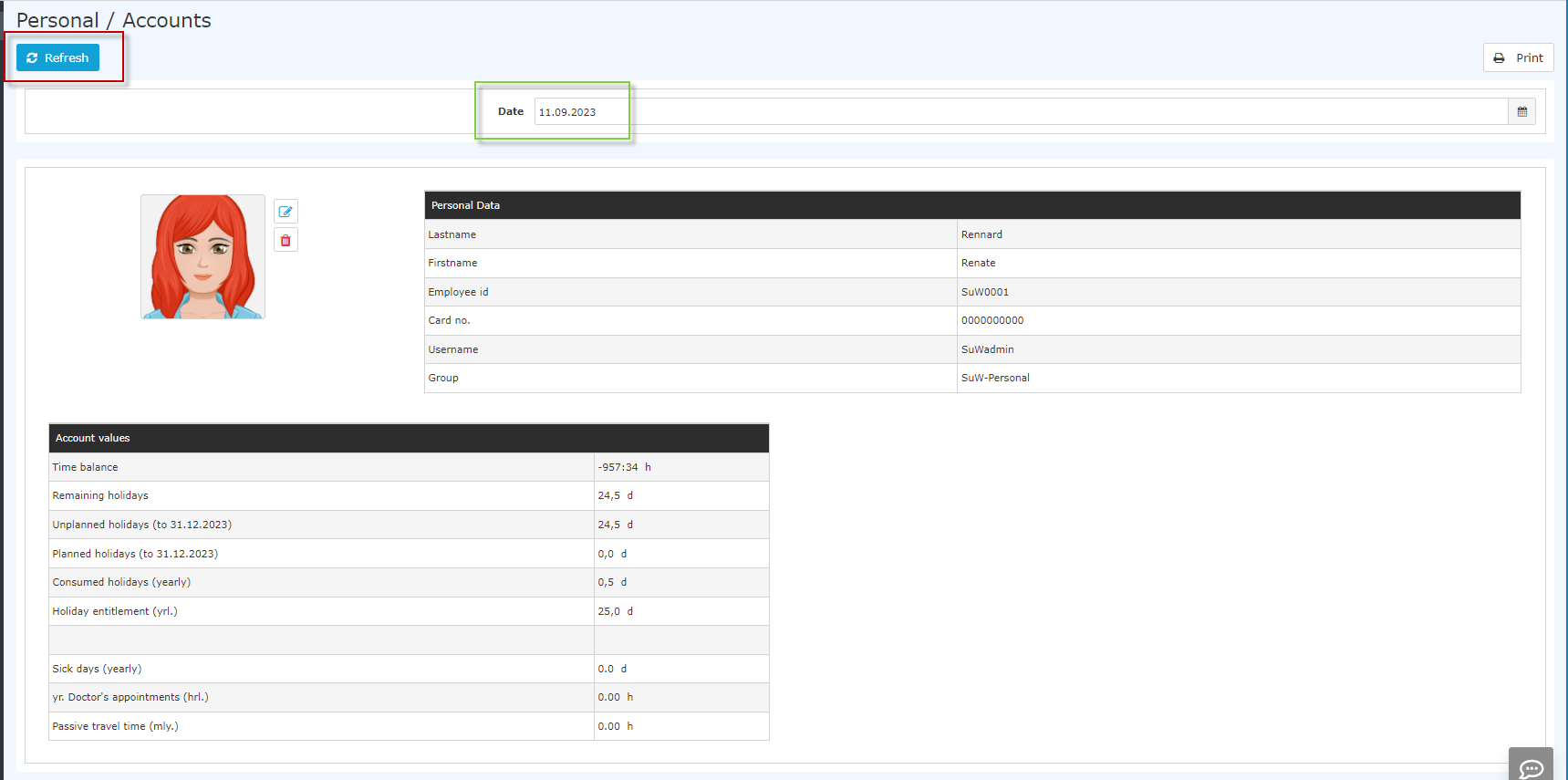
This menu item lets you query your master data and the account balances of your most important time tracking accounts for a specific key date.
In the date field (marked green), you can enter an alternative date (alternative key date). The date can either be entered directly in the format mm/dd/yyyy (e.g., 04/03/2023) or selected by clicking the calendar icon. Refreshing (clicking the "Query" button, marked red) returns the account values for the selected key date.

Personal data
In addition to general personal data such as last name and first name, further information is displayed:
-
Employee ID - employee number including the fixed prefix ("SuW" in this case; in general: the first 4 characters of the employee number)
-
ID card no. - if your company has employee ID cards or similar, their number is recorded here
-
Username - login name; the email address can also be used to log in
-
Department - the department you are assigned to
-
Annual vacation entitlement - your vacation entitlement in days
Account values
The account values provide an overview / summary of the most important time accounts for the key date selected under "Date":
Note: The list of account values shown may deviate depending on your company.
-
Balance - the sum of the actual time (actual attendance) minus the target time
-
Remaining vacation - the remaining vacation currently available, in days
-
Unscheduled vacation - corresponds to the remaining vacation minus the scheduled vacation, in days
-
Scheduled vacation - scheduled vacation in days
-
Vacation days taken (annual) - the vacation days already taken
-
Sick days (annual) - the annual sick days
-
Doctor's visits (hrs) - the booked doctor's visits in hours
- Passive travel time (monthly) - information on the time spent traveling as a passenger
Important: The values displayed are the values as of the selected key date!

 erste
erste


 Vergleiche Versionen 9 und 10