Veränderungen des Inhalts
Klicken Sie für eine detaillierte Beschreibung auf die geänderten Stellen:
Benutzen sie die linke oder die rechte Maustaste, um zur jeweils vorherigen bzw. nachfolgenden Änderung zu gelangen.
The booking mask offers the user the possibility screen allows users to create time bookings (Present (Absent), Business visit / Homeoffice, remote business trip, home office, mobile working).
The date and time are taken from the web server, and the system determines the correct booking rhythm sequence (Arrived clock in / Left) is determined by the system. In addition, absence reasons can also be booked (business trip, doctor visit, official trip). Furthermore, a message can be entered clock out).
You can also enter a message that is visible to colleagues in the attendance list.
Example:
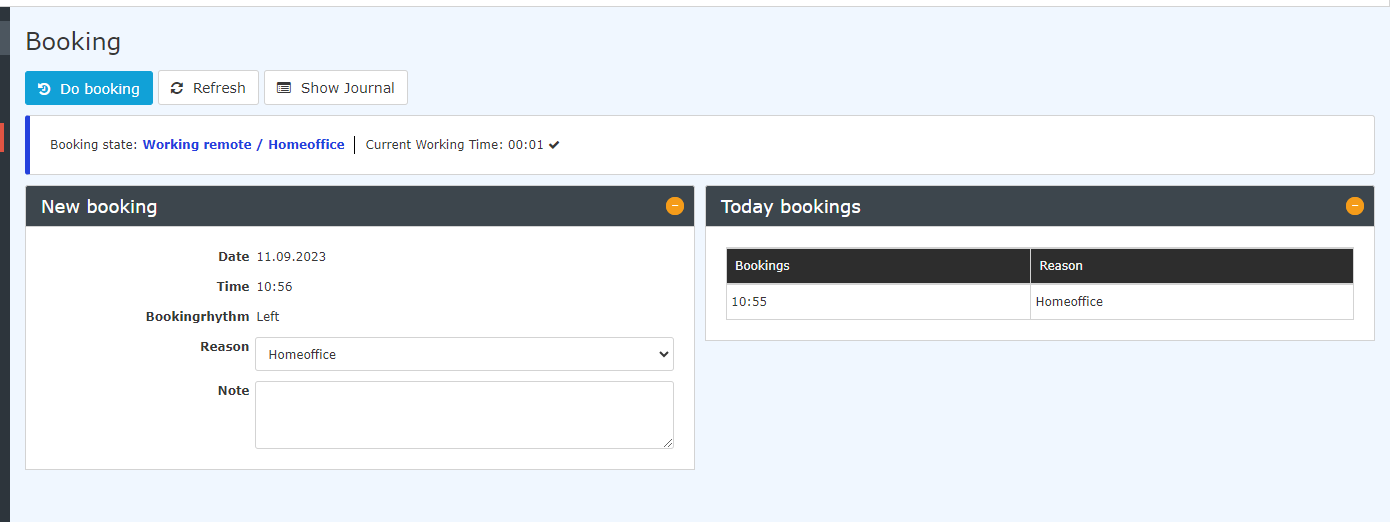
The "Show Journal" button can be used to provide an overview of the entire monthly journal.
To hide the journal again, click on the "Hide Journal" button. This appears automatically when you click on the "Show Journal" button.
By clicking on the button "Show journal" the monthly journal will be shown, a click on the then appeared button "Hide journal" In addition to the booking status, the current working time is displayed. It updates automatically each time the booking page is opened. While the page is open, you can use the "Refresh" button to bring it up to date.
Examples:
Clicking the "Show journal" button displays the monthly journal. Clicking the "Hide journal" button that then appears hides it again.
A successful booking appears immediately in on the booking maskscreen.
A booking change is also recorded and shown in the list of bookings with the start and end times.
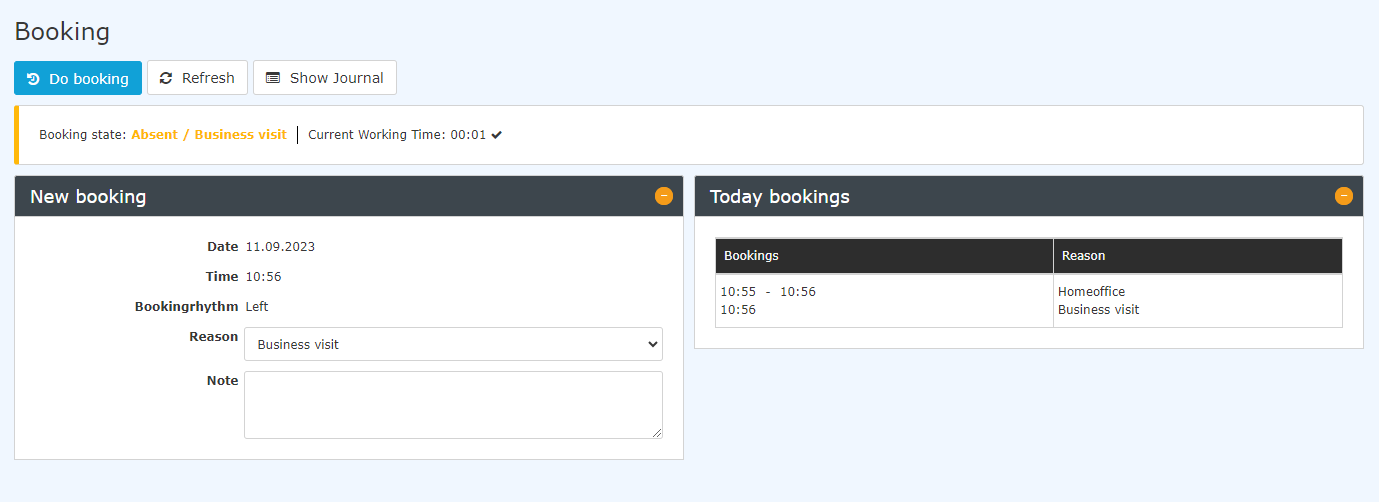
If you want to go straight to land directly on the booking screen when you log in, it would be helpful helps to place save the following link https://personalwolke.at/webdesk3/ta_doBooking.act in the your browser's favouritesfavorites. This way you can jump directly to the booking screen.

 erste
erste


 Vergleiche Versionen 8 und 9
