Veränderungen des Inhalts
Klicken Sie für eine detaillierte Beschreibung auf die geänderten Stellen:
Benutzen sie die linke oder die rechte Maustaste, um zur jeweils vorherigen bzw. nachfolgenden Änderung zu gelangen.
General
"Cancel time correction" requests are used to delete incorrect attendance times from the system.
For example, an employee who forgot to book the lunch break can book it retroactively with a "Cancel time correction" request:
This employee worked from 08:20 to 16:40 and was on lunch break from 13:00 to 13:30, but forgot to book it. So he opens the "Cancel time correction" request and enters the corresponding date and time range (13:00 - 13:30). Since no approval by the supervisor is necessary, the change takes effect in the journal immediately after clicking Start process.
The user must enter the date and time range of the correction booking in the form.
The only possible absence reason is Absent, since an incorrectly booked attendance is to be corrected.
For other time corrections (doctor, errand, various absences, telework), the menu item Time correction must be used!
If needed, a note can be entered in the "Comment" field explaining why the time had to be corrected (e.g., "Forgot to book lunch break").
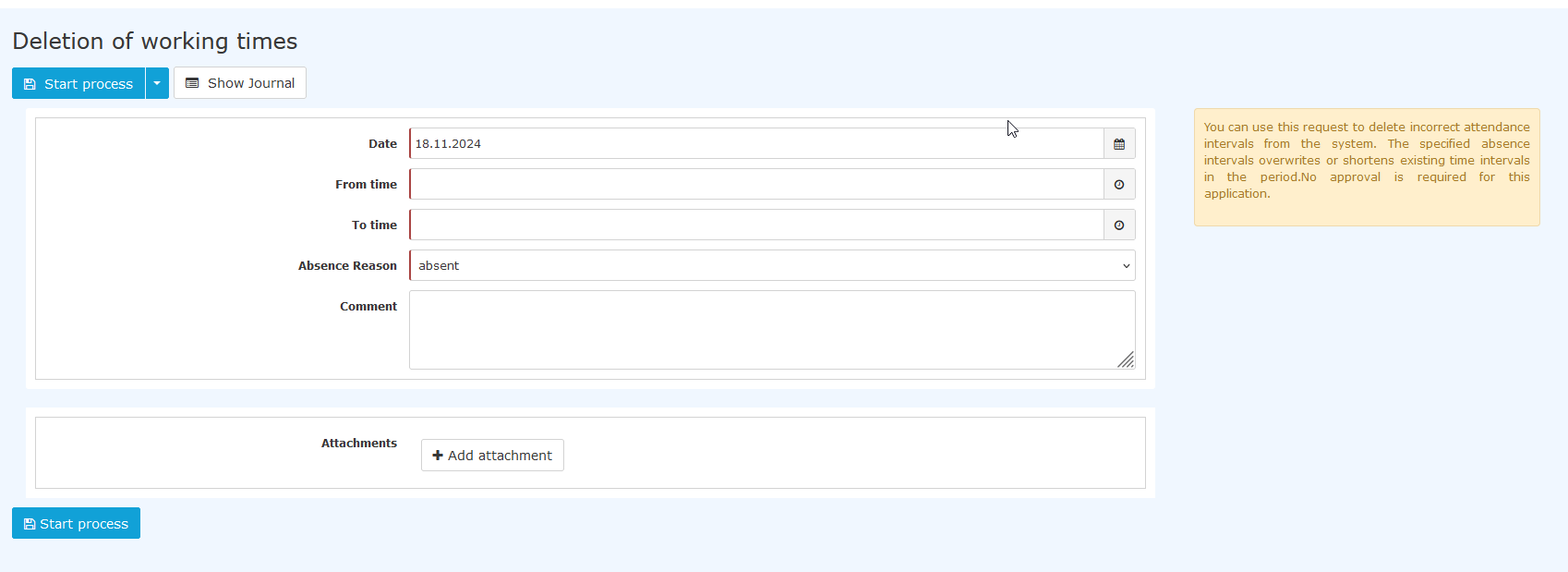

The "Show journal" button serves here as a possible aid when filling out the request; the monthly journal is displayed.
After clicking "Start process", the correction is made in the system and you are taken to the "Open requests" overview.
Approval process
Requester
There is no approval process for this particular request, since nobody has to approve it, i.e., the request is submitted and approved at the same time by clicking "Start process".

 erste
erste


 Vergleiche Versionen 9 und 10