Veränderungen des Inhalts
Klicken Sie für eine detaillierte Beschreibung auf die geänderten Stellen:
Benutzen sie die linke oder die rechte Maustaste, um zur jeweils vorherigen bzw. nachfolgenden Änderung zu gelangen.
Overview
This chapter deals with the password change options available to the HR officer or the local administrator in your company.
1. Assigning a password for the first time
2. Resetting a password
3. Deleting a password
4. Resetting two-factor authentication
5. Changing a password without an e-mail address
You can find information on user-side activities related to the password here:
daisy:6432
Assigning / resetting / deleting a password
The password manager is located in the person screen (employee profile), under the "Master data" tab.
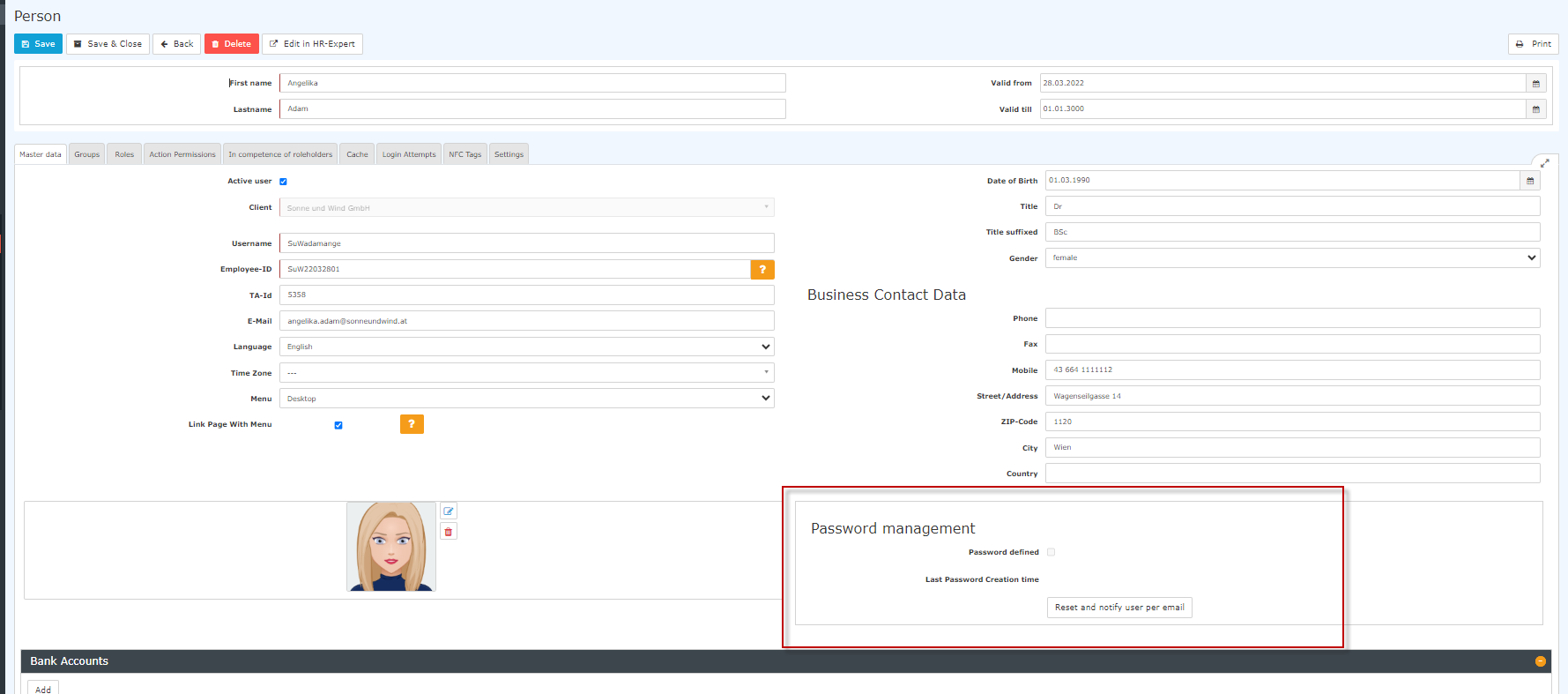

The following changes can be made here:
1. Assigning a password for the first time
daisy:9837
2. Resetting a password
When you reset the password, the default password is set, which the employee must change at the first login after the reset.
The user must therefore use the following data:
Username = user name (case sensitive!)
Password = default password = also the user name (case sensitive!)
Note: It is NOT possible to display the current password. The password chosen by the user is not visible to anyone!
3. Deleting a password
The login option via password is deleted by clearing the checkmark in the "Assign password" checkbox.
4. Resetting two-factor authentication
You can find out how two-factor authentication is activated here.
The button labeled "Reset two-factor authentication" allows you to reset the login data of employees who have chosen multi-factor authentication for themselves or for whom it has been mandated.
Of course, this reset is only possible if multi-factor authentication has been activated in this employee's settings.
5. Changing a password without an e-mail address
Since November 2023, admins can also change a person's password if the person does not have a (company) e-mail address on file.
To do so, click "Change password", and a window for entering a new password opens.
The employee must be informed of this password.
The next time the person tries to log in, the system will then ask them to enter a new password known only to them.
Additional information
You can find details on the other tabs in this screen under Persons.

 erste
erste


 Vergleiche Versionen 3 und 4