Veränderungen des Inhalts
Klicken Sie für eine detaillierte Beschreibung auf die geänderten Stellen:
Benutzen sie die linke oder die rechte Maustaste, um zur jeweils vorherigen bzw. nachfolgenden Änderung zu gelangen.
There are basically three ways to move an employee to another department.
1. Via the entry in the "Groups" tab in a person's master data. This is possible for organizational units (departments in the organigram) as well as for permission groups, locations and cost centers. This variant is described below.
2. Via the entry "Persons" in a group's master data. This variant is also possible for organizational units (departments in the organigram) as well as for permission groups, locations and cost centers. You can find information on this variant under "FAQ - Adding employees to a group"
3. Via editing in the organigram. This is only possible for organizational units, since only these are shown in the organigram. You can find information on this in the chapter "Organigram - Moving employees to another department (group)"
For variant 1, start as follows:
daisy:6432-dsy
In the person screen now shown, click the Groups tab.
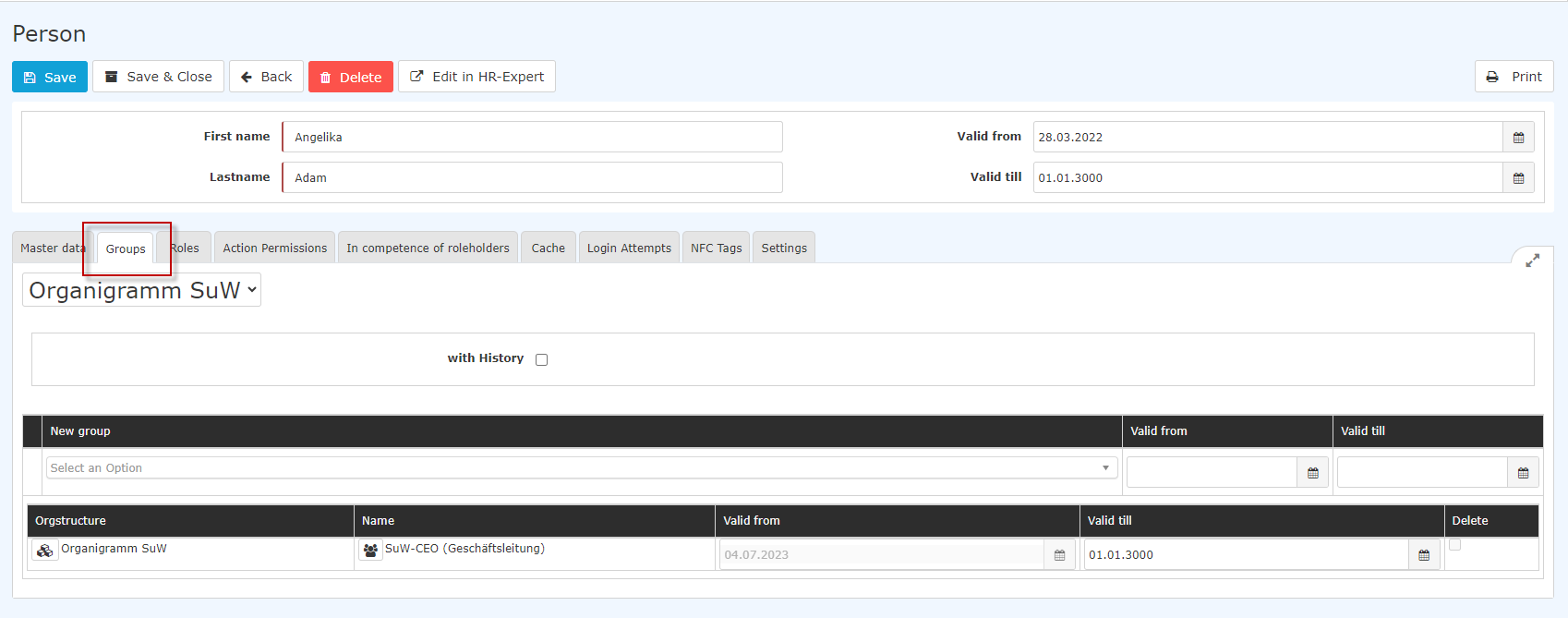
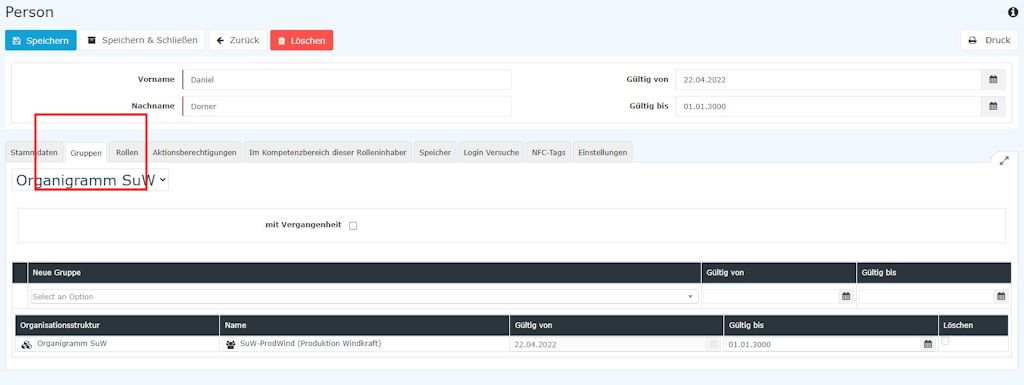
[Note: the screenshots still contain the names "Organigram group" and "Loose groups" that were used for organizational units and permission groups before July 2024.]
After selecting the Groups tab, the input screen above appears.
First, you must decide whether the employee is to be assigned to a group in the organigram (organizational unit) or to a permission group (manual grouping of individual employees according to freely selectable criteria). You can find more information on organizational units and permission groups under Administration - Groups in the manual.
CAUTION: A person can only be a member of ONE organizational unit at a time (the new assignment therefore overwrites the existing one)! Permission groups work differently - here the employee can be a member of any number of permission groups at any time.
After selecting organizational unit or permission group (or location or cost center, if the company structure provides for them)
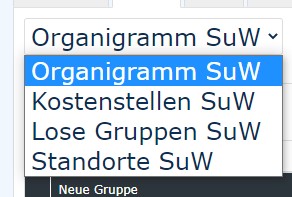
[Note: the screenshots still contain the names "Organigram group" and "Loose groups" that were used for organizational units and permission groups before July 2024.]
you can select the new organizational unit, additional permission group, location or cost center that the employee is to join from a dropdown list in the lower section of the tab.
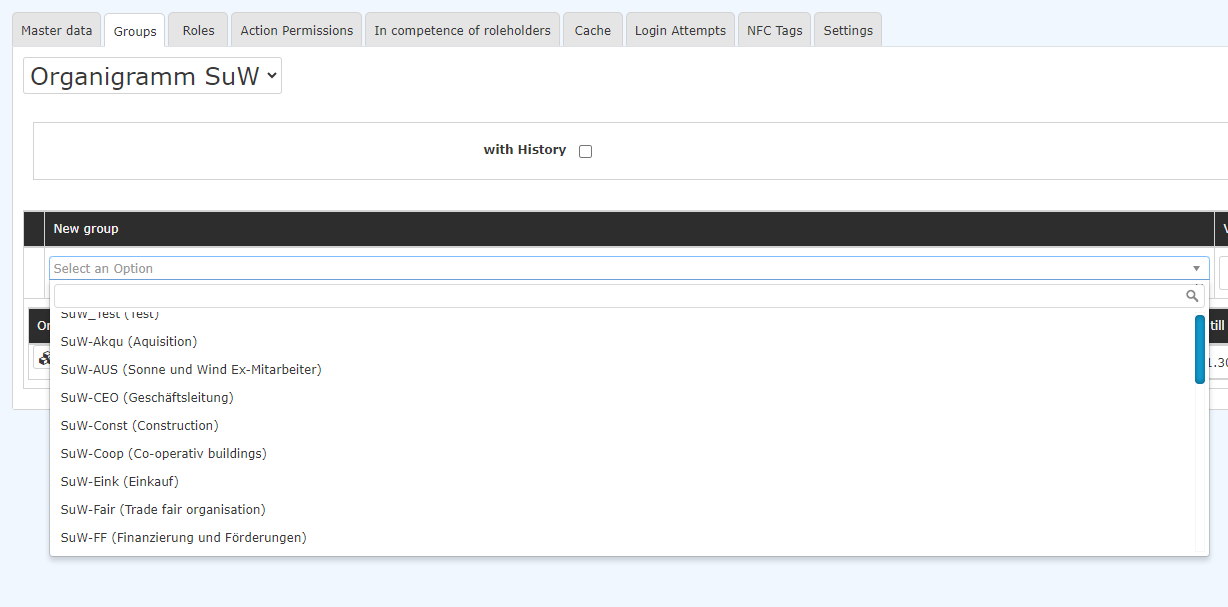
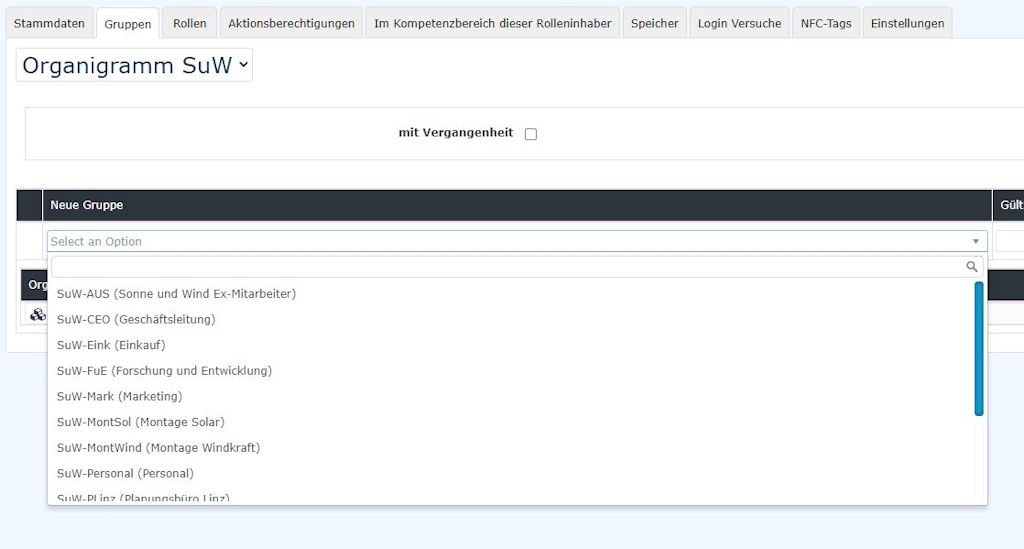
[Note: the screenshots still contain the names "Organigram group" and "Loose groups" that were used for organizational units and permission groups before July 2024.]
After selecting the corresponding group, a Valid from and/or a Valid until date can optionally be filled in.
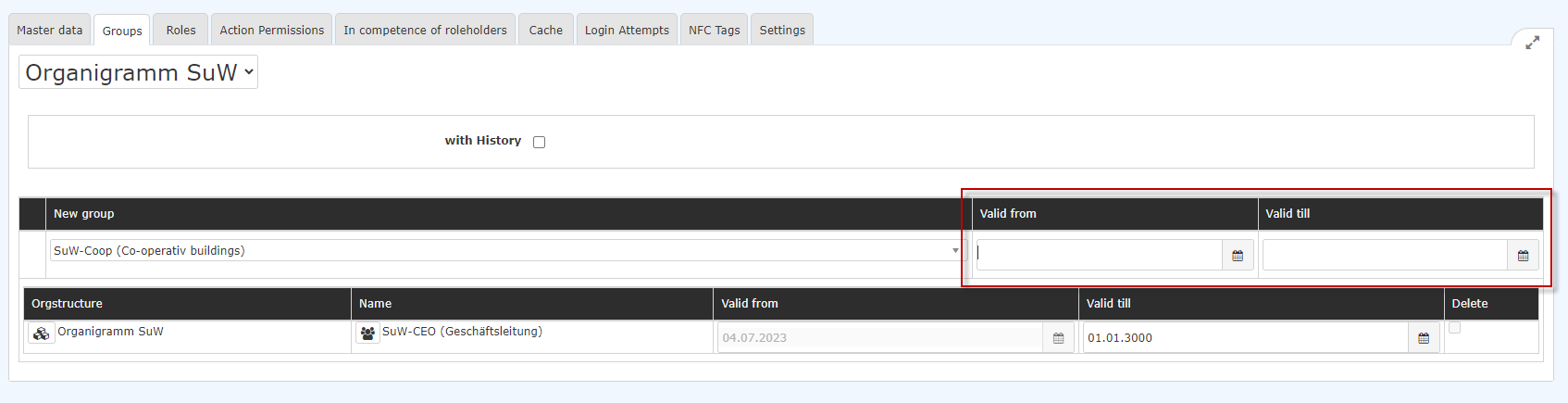

The following combinations are possible when entering the date:
- Valid from empty, Valid until empty: Assignment is valid immediately until 01.01.3000 (our definition of "until further notice"...)
- Valid from empty, Valid until filled in: Assignment is valid immediately, until the date specified under Valid until - after which the assignment must be made again
- Valid from filled in, Valid until empty: Assignment is valid from the date entered under Valid from until 01.01.3000
- Valid from filled in, Valid until filled in: the assignment to the selected group is only valid within the defined period and must be made again afterward
Click Save to apply the changes.
Deleting a department assignment
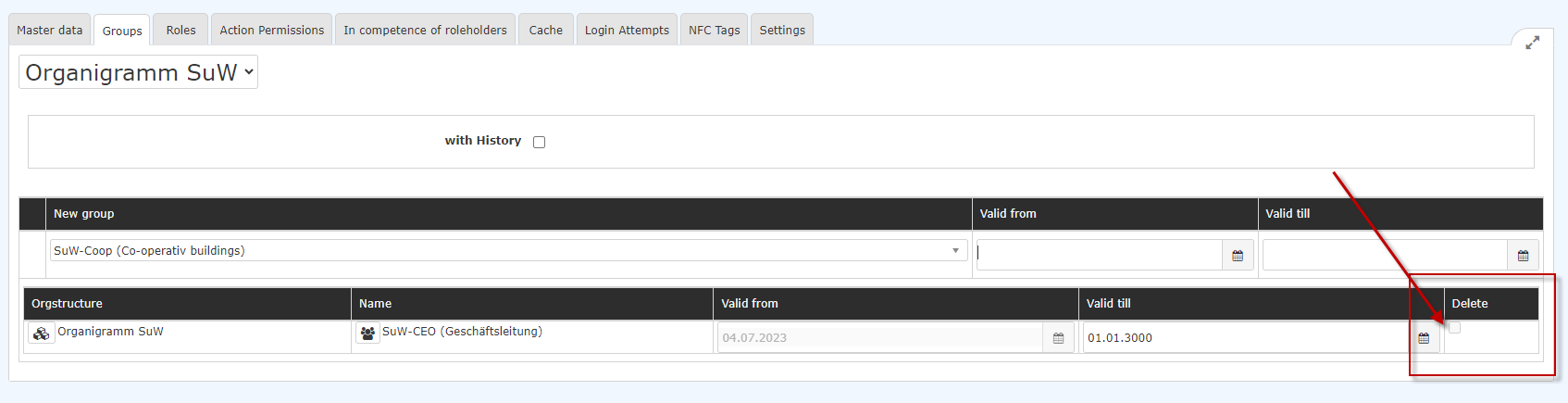
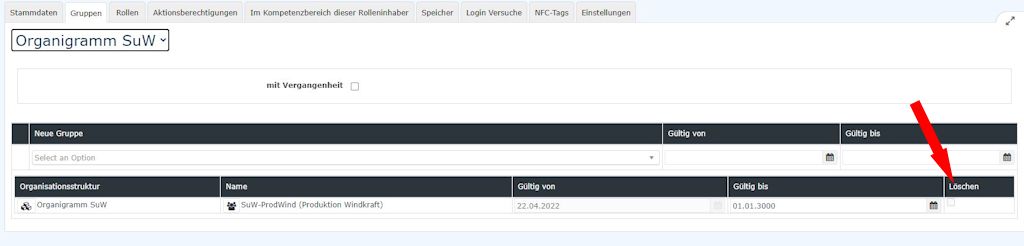
In the same screen, you can also delete an existing, incorrect assignment.
For the sake of keeping a history, and thus documenting department/cost center/location assignments, deletion is only recommended if the assignment was actually made in error!

 erste
erste


 Vergleiche Versionen 4 und 5