Veränderungen des Inhalts
Klicken Sie für eine detaillierte Beschreibung auf die geänderten Stellen:
Benutzen sie die linke oder die rechte Maustaste, um zur jeweils vorherigen bzw. nachfolgenden Änderung zu gelangen.
daisy:6447-dsy (Include - Gruppe auswählen)
Adding employees
After selecting a group, you can add employees to the selected group by clicking the Persons tab.
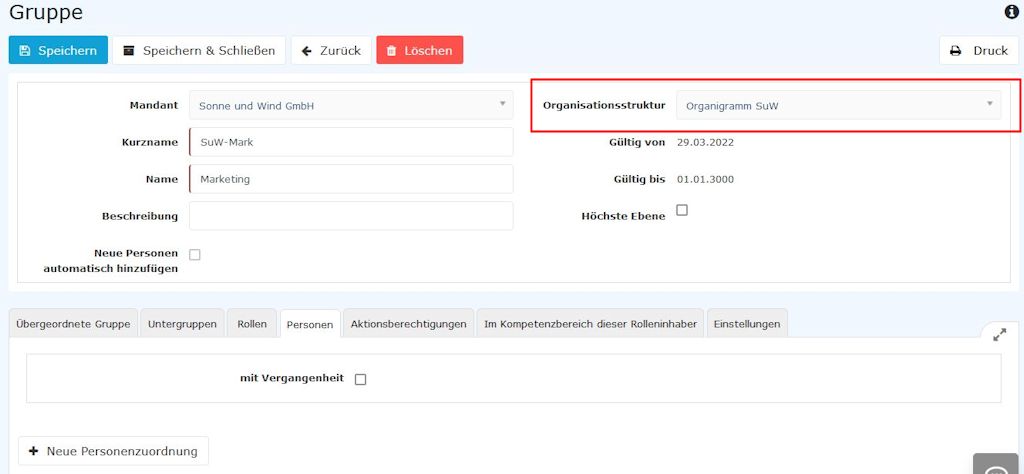
CAUTION: Please note that ONE employee can be a member of only ONE hierarchical group (organizational unit) at a time, but can simultaneously be a member of any number of permission groups. The following screenshot (marked in red) shows whether you are currently editing an organigram group or a permission group.
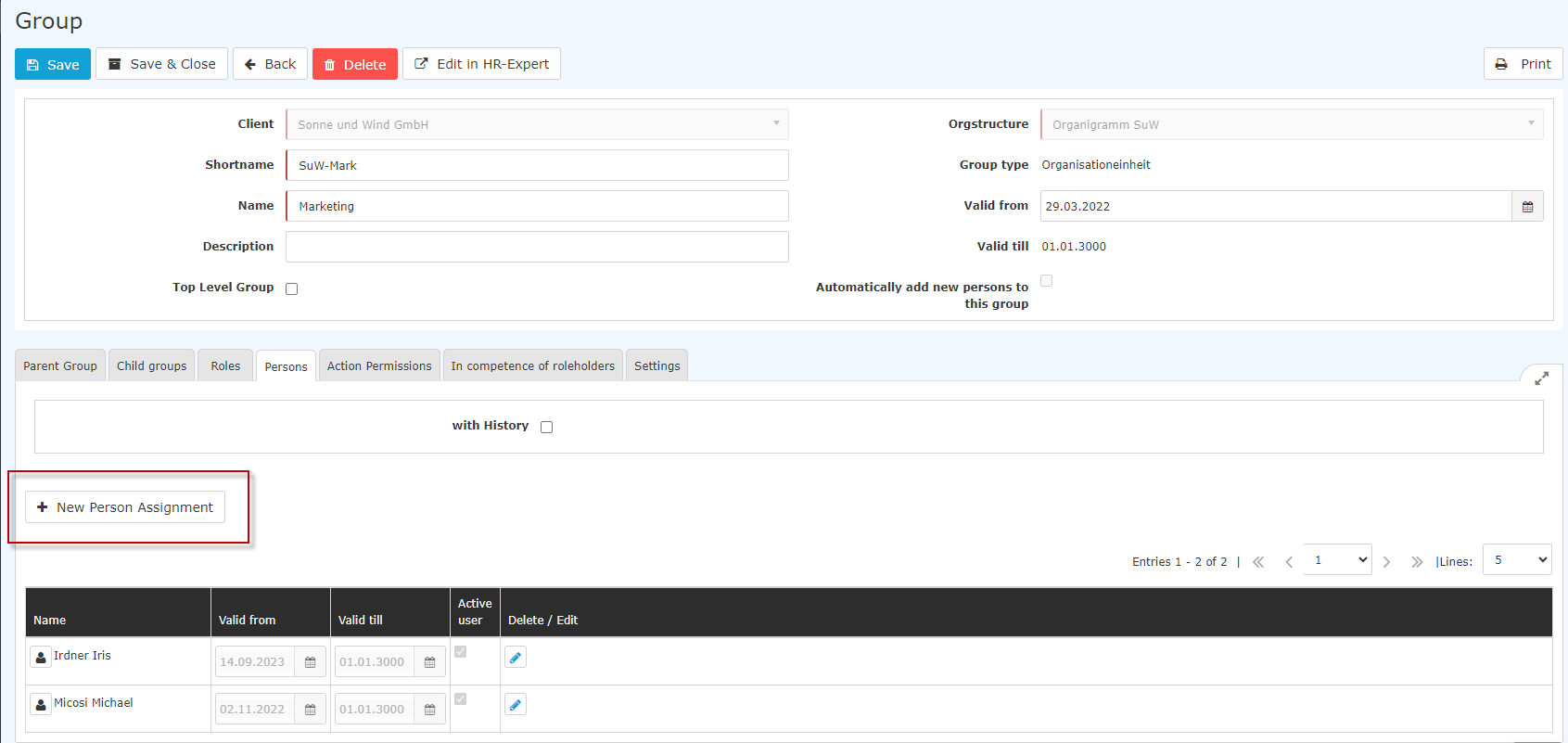
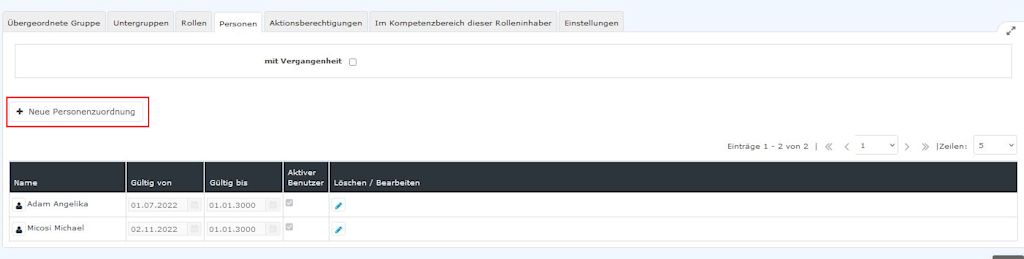
Clicking New person assignment lets you add members to this group.
After clicking, the following table appears:
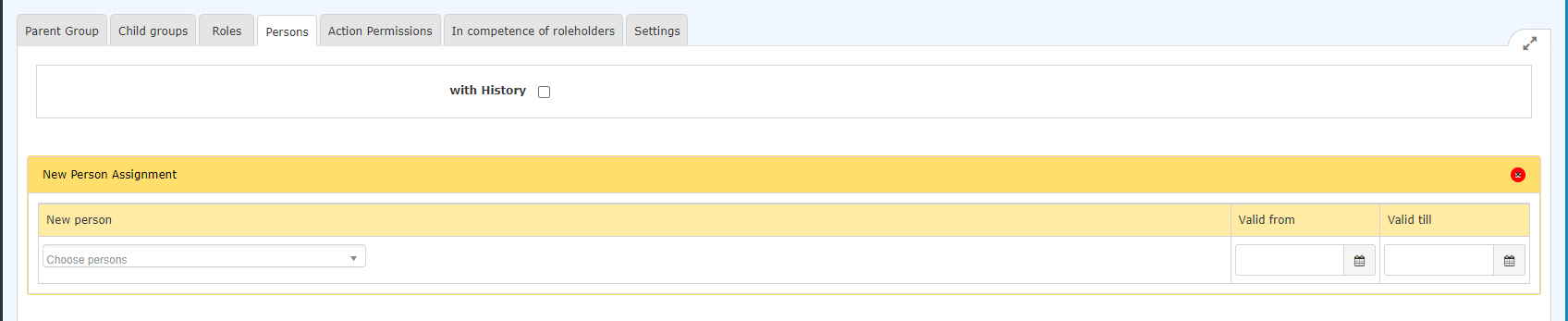
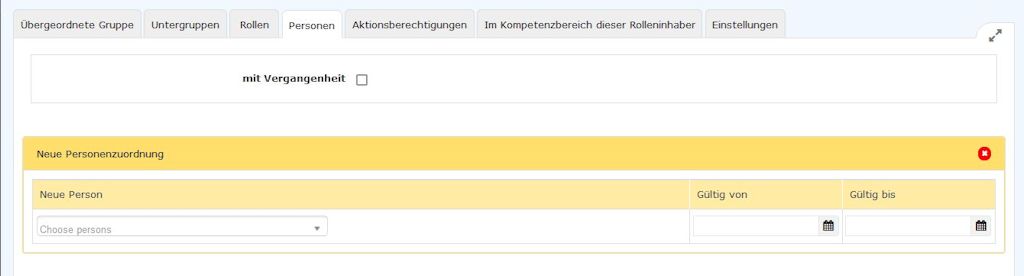
After selecting the person (Claudia Charon Huber Heinrich in this case; the selection can be made either by simply typing in the field or via the button with the 3 dots), you can already click Save. The fields Valid from and Valid until are either filled with the default values (Valid from: today; Valid until 1.1.3000), or - as in this case - you have the option of entering a specific date to specify that MsMr. Charon Heinrich Huber is to be a member of this group from 01.1203.2023 onward.
Note: An employee's previous assignment to a group in the organigram is automatically deleted when the new assignment becomes valid.


After saving, the employee appears in the list of group members.
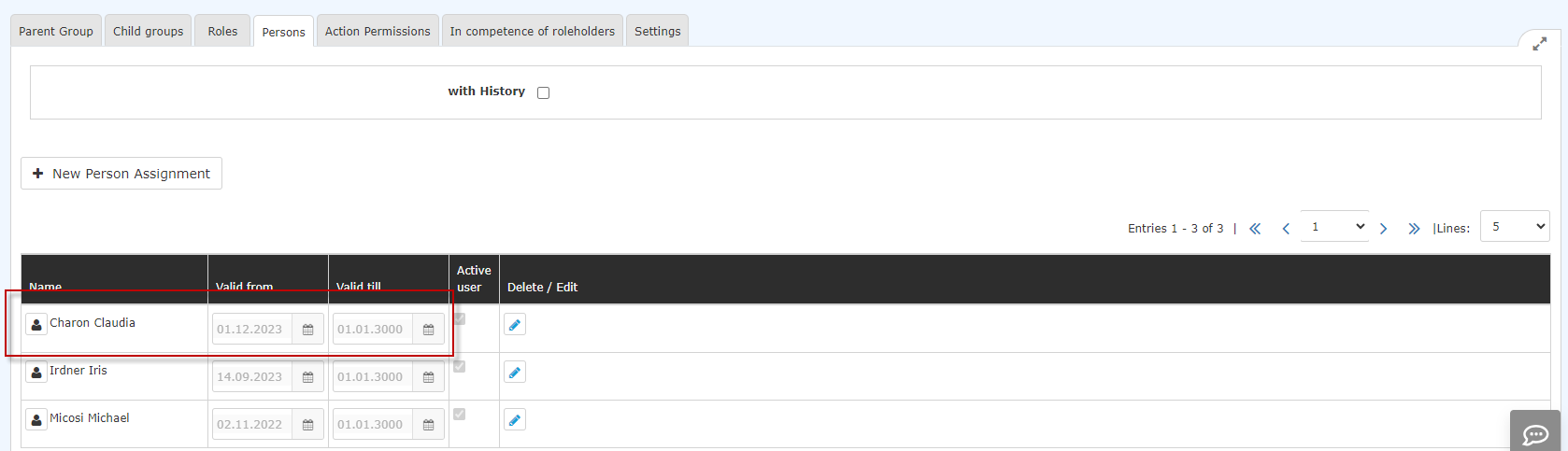
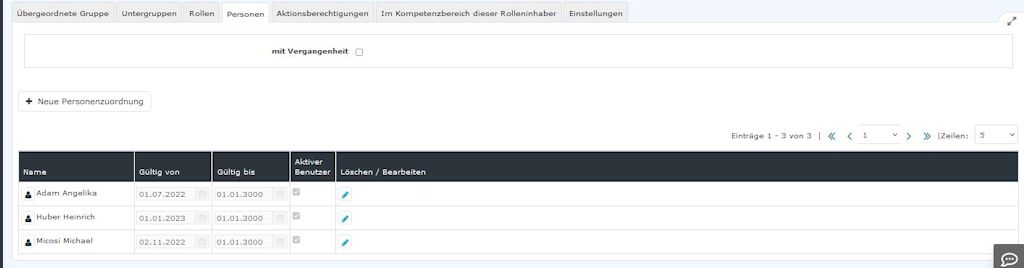
Ending membership in a group
Membership in an organigram group can only be ended by switching to another organigram group, since at any one time each employee can be a member of one, and only one, organigram group.
If you want to end membership in an organigram group (organizational unit), you do so by adding the employee to another organigram group.
Membership in a permission group can be ended by entering the "Valid until" date by clicking the edit icon 
 and correcting the "Valid until" date accordingly.
Additional information
You can find more information on the topic of groups at the following link: Groups

 erste
erste


 Vergleiche Versionen 7 und 8