Veränderungen des Inhalts
Klicken Sie für eine detaillierte Beschreibung auf die geänderten Stellen:
Benutzen sie die linke oder die rechte Maustaste, um zur jeweils vorherigen bzw. nachfolgenden Änderung zu gelangen.
In the following, you will learn how to assign, edit or change a role via the "Roles" function.
However, it is also possible to do this via the master data of the person or group. [Link will be added soon.]
Start
General
To add a role (supervisor, staffHR) to a person or a group, please select Roles in the menu tree under Administration.
This will take takes you to an overview of the available roles.
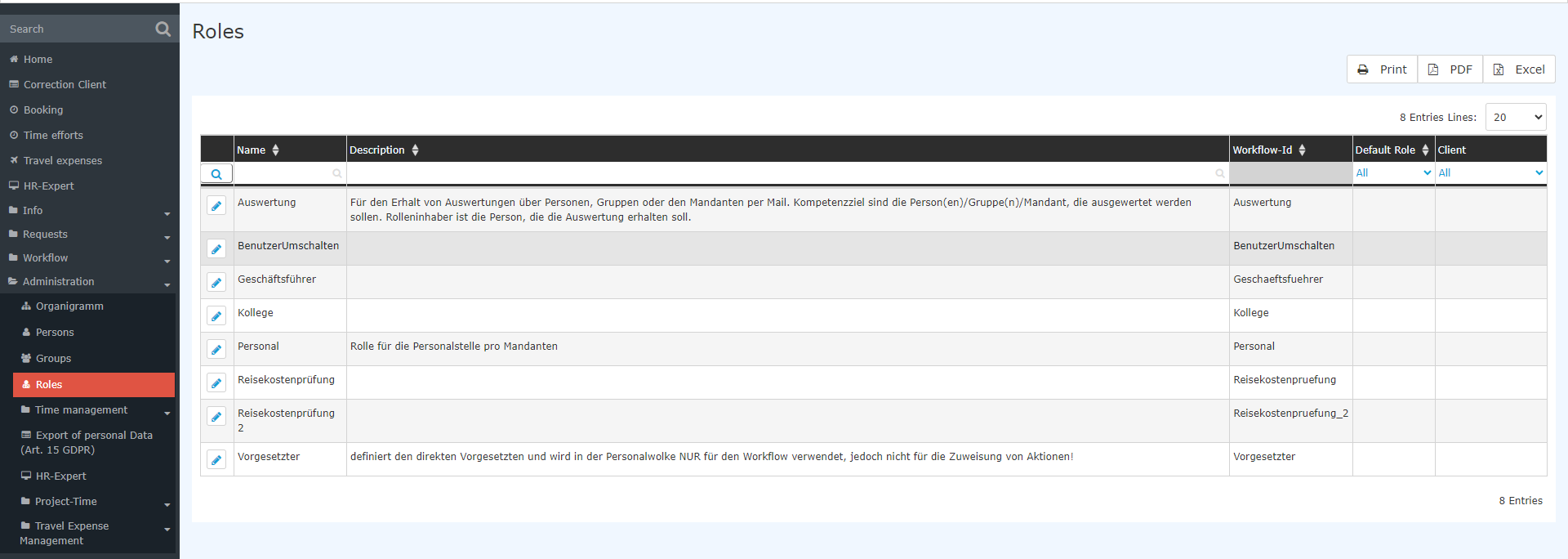
Select the desired role by clicking on it. In the following view it is now possible to , you can now add new role owners holders (persons, groups) by clicking on New Role role holder assignment or to delete / edit existing role holders
Assigning
.
Assigning
Adding a
new
role holder
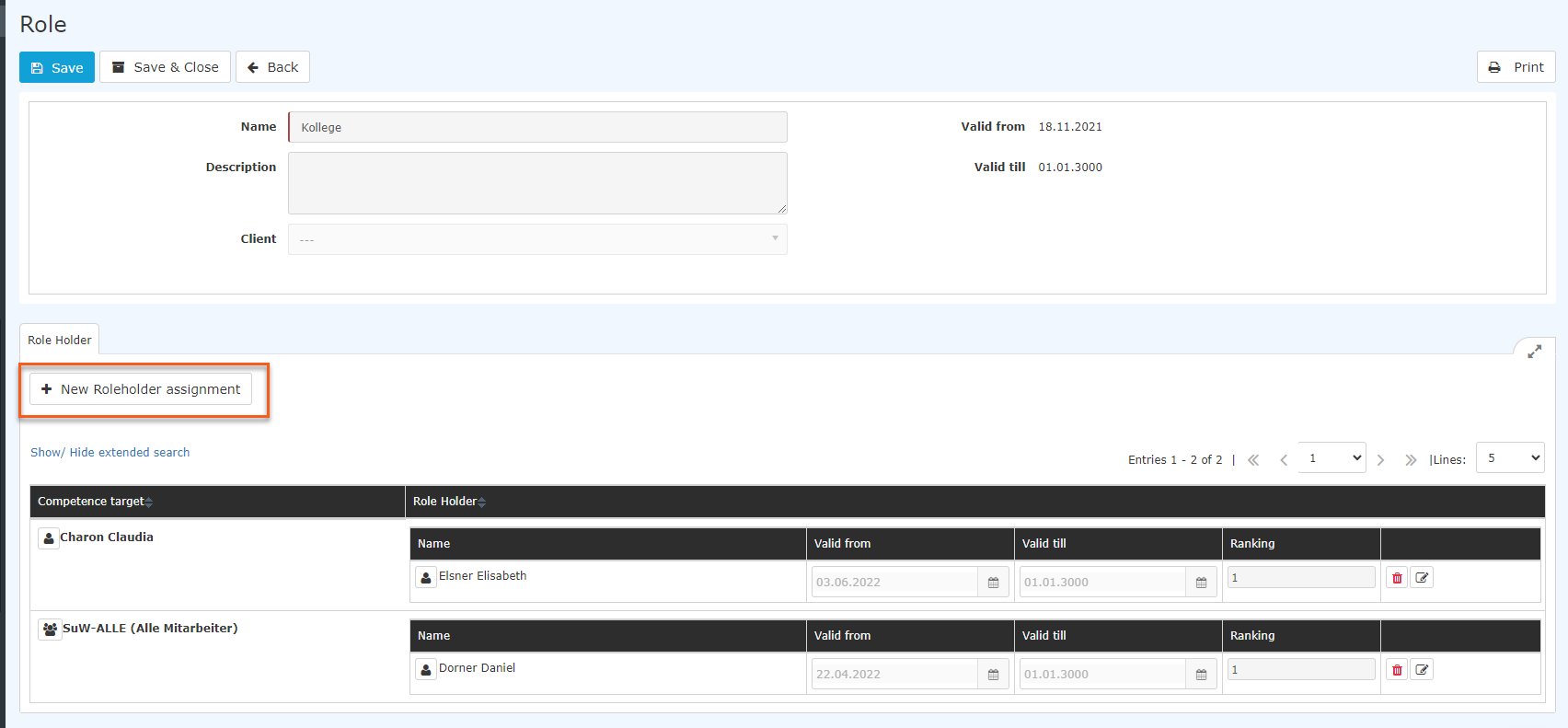
The following input mask screen opens:.

The parameters are explained as follows:
Step 1: Select the competence target
-
Person - means that the selected role owner holder (step 2) performs exercises the selected role (supervisor) for the selected person.
-
Group - means that the selected role owner holder (step 2) performs exercises the selected role (supervisor) for the selected group.
-
Client - means that the selected role owner holder (step 2) exercises the selected role (supervisor) for the whole entire client (the whole entire company).
Step 2: Select the role holder
-
Person - means that the selected person
performs
-
exercises the role (supervisor) for the selected competence target (person, group or client).
-
Group - means that the selected group (and thus ALL persons belonging to this group)
performs
-
exercises the selected role (supervisor) for the selected competence target (person, group, client).
Step 3: Set optional parameters
-
Valid from - defines FROM when which point in time the selected role assignment is valid.
-
Valid until until - defines UNTIL which point in time the selected role assignment is valid.
-
Ranking - defines whether the selected role owner performs holder exercises the role as the main person in charge with primary responsibility (=1), as the deputy (=2), as the deputy of the deputy (=3), and so on. The same ranking number can be assigned to several persons!
If the parameters in step 3 are not specified in step 3, they will be assigned are set to the default values:
- Valid from - current date
- Valid till until - unlimited (01.01.3000)
- Ranking - 1 (mainprimary responsibility)
Clicking Save will apply applies the selected settings.
Example 1

A person is to be added as supervisor for a group manager. The assignment is to be valid from now until indefinitely on with no end date, and the person is to exercise this role with primary responsibility (=1).
- Competence target: Group, select the group
- Role holder: Person, select person
Click on Save when finished!
and save.
Example 2

In this example, the group SuW-Personal (role holder) is assigned a role for the entire client (the company Sonne und Wind GmbH, SuW). This assignment makes the most sense especially for the HR role Personnel, because in this way, for example, the HR department group Human Resources can be assigned the HR role Personnel.
Example 3

In this example, the person Elisabeth Elsner Elisabeth (role holder) is assigned to the group SuW-FuW as manager supervisor in the period from 01.11.2023 to 31.05.2024 as fist in with first ranking.
Editing or deleting
Deleting / editing a role holder
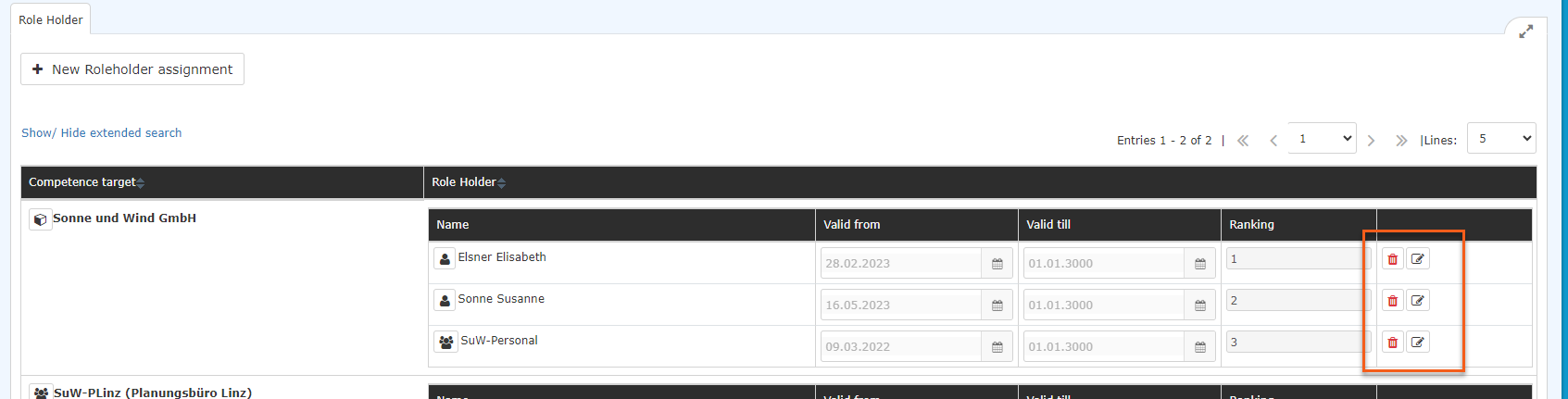
After selecting the role, the role assignment can be edited edited  / deleted
  in the role holder overview. The competence target describes for which person, group , or client the role holder is responsible for. In addition, information about on the selected validity period and the sequence ranking can be seen here.
Additional information
Example 3 probably represents probably the most common use case (a person is to be assigned to a group as a role ownerholder). It is also important to know that the assignment of a person is stronger than the assignment of a group, which in turn is stronger than the assignment of a client.
An overview of the holders of roles with responsibilitiesresponsibility (supervisor, personnelHR, travel expenses checkexpense review) is also provided in by the employee list of employees (Administration/PeoplePersons): here, those the employees to whom this applies are specially marked by a badge /a colored button, see the following image.
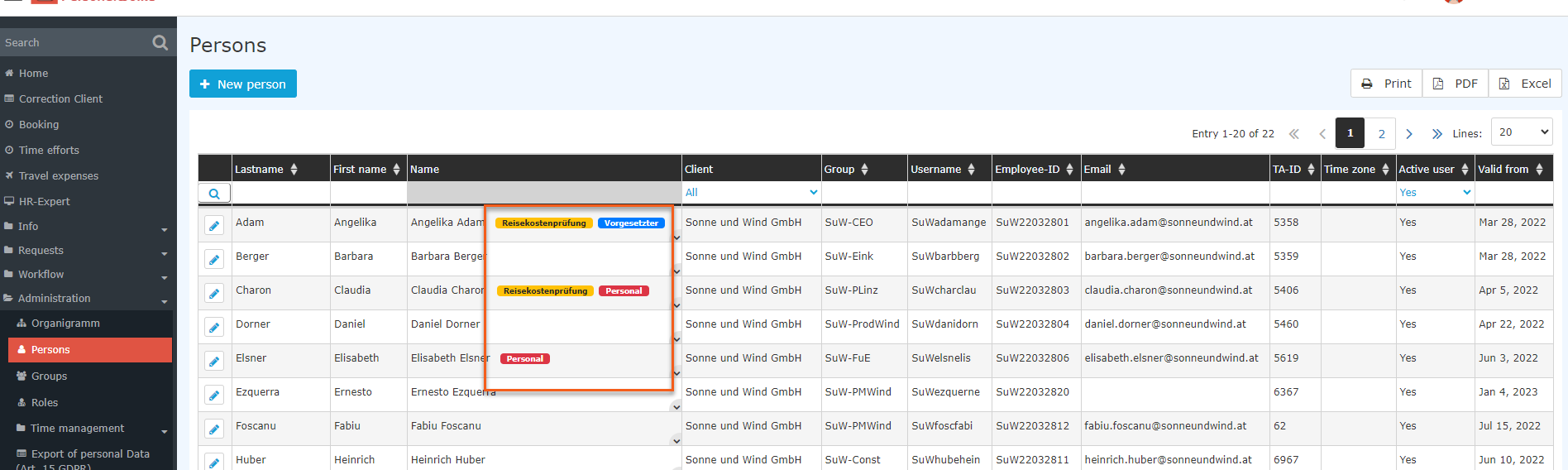
For You can find more information on roles , see chapter "Roles"!under Roles.

 erste
erste


 Vergleiche Versionen 6 und 7
