Veränderungen des Inhalts
Klicken Sie für eine detaillierte Beschreibung auf die geänderten Stellen:
Benutzen sie die linke oder die rechte Maustaste, um zur jeweils vorherigen bzw. nachfolgenden Änderung zu gelangen.
Overview of All Business Trips in the Company
This menu item gives users with administrator permissions (members of the loose group XX-TM-Admin) an overview of all business trips recorded in the system for the entire company (regardless of the trip's status).
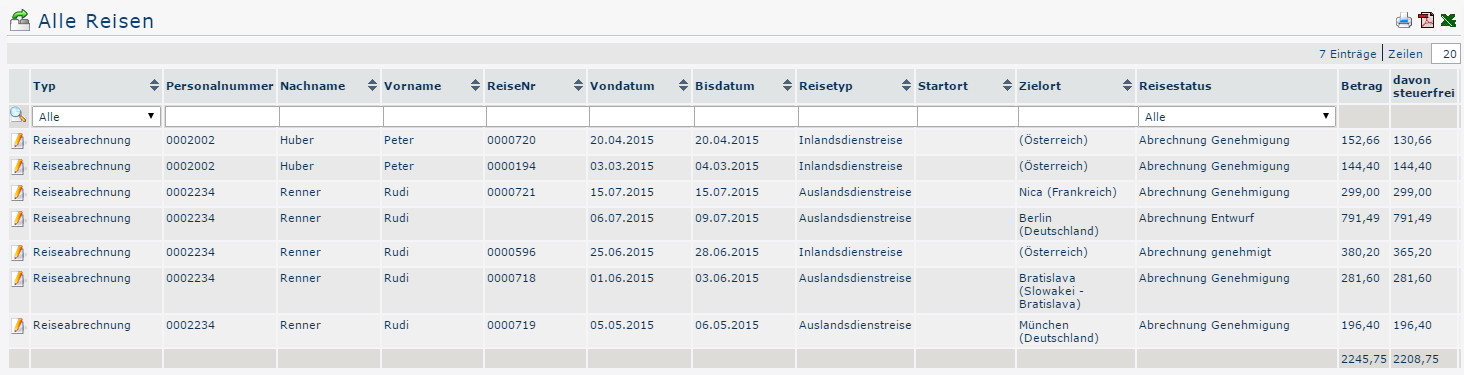
When the menu item All Trips is opened, the following overview appears:

Clicking 
 lets you print this overview or export it as a PDF or Excel document.
The table columns and their functions
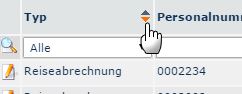
In the Type column, clicking the arrow opens a dropdown menu that filters by travel expense reports or travel requests:

-
Type
Clicking the dropdown field lets you choose whether all trips, only travel expense reports or only travel requests are to be returned
-
Employee ID / Last name / First name
With these employee-specific parameters, the output can be limited to a particular employee by direct entry. Deleting the entry and confirming again (Enter key) removes this filter.
-
Trip No.
The system automatically assigns a consecutive trip number to every travel expense report / travel request, which you can search for here
-
From and to date
By entering the respective dates, you can restrict the output so that only trips within a corresponding period are displayed
-
Trip type
Here you can specify the trip type to be displayed (e.g., domestic trip or international trip)
-
Start location / Destination
If only trips with a particular start location or destination are to be displayed, you can specify this using these fields
-
Trip status
The different trip statuses by which the output can be filtered here are described under Search Form in the chapters Trips of My Employees and My Trips
The columns Amount and Of which tax-free provide information about the costs the trip in question has incurred and their tax treatment.
Trip Information
Clicking the edit icon 
 opens a comprehensive view of all information about the trip. Among other things, it shows how the individual travel costs are composed - in some places, comments written by the employee are also visible. The trip information can also be opened in a print-friendly version using the print icon
 (all details are expanded in the following screenshot) :
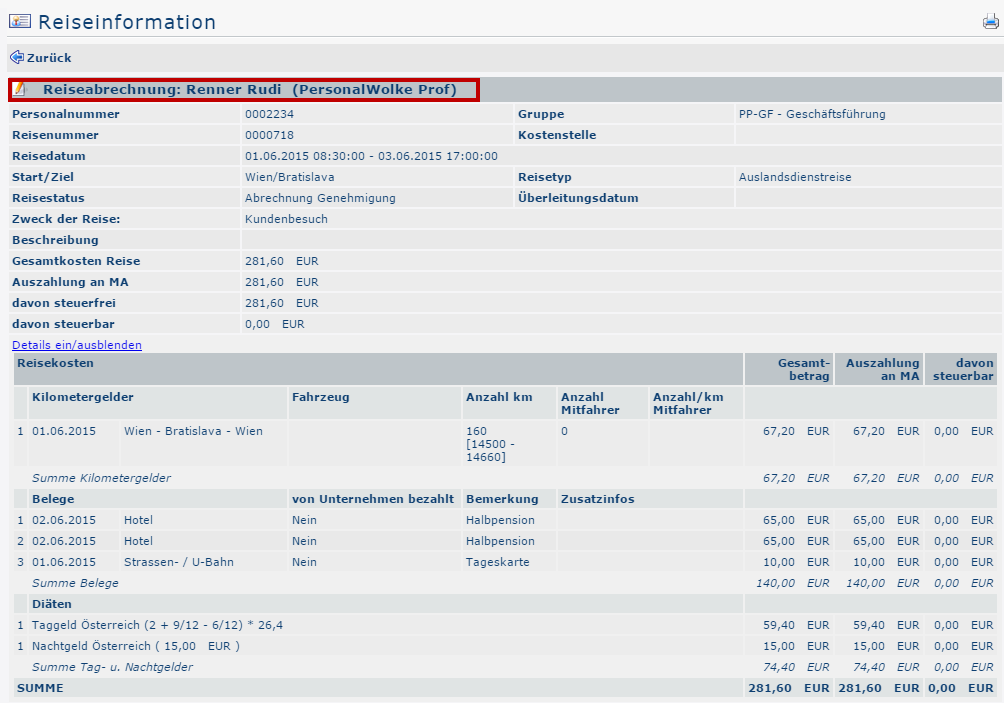


Clicking the area framed in red (in the screenshot) takes the user to the view the requester sees when filling out the business trip expense report or the business trip request. Here you can review all items of the expense report / request again, but changes can no longer be made afterward.

 erste
erste


 Vergleiche Versionen 2 und 3