Veränderungen des Inhalts
Klicken Sie für eine detaillierte Beschreibung auf die geänderten Stellen:
Benutzen sie die linke oder die rechte Maustaste, um zur jeweils vorherigen bzw. nachfolgenden Änderung zu gelangen.
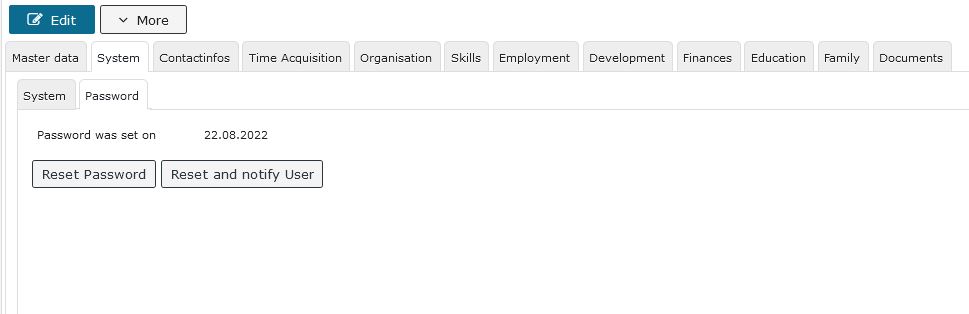

Here the HR admin can see whether and when a password was assigned to the respective employee and, if desired, reset it using the displayed buttons, for example if the employee has forgotten the password they chose.
The HR admin has two options here:
1. Reset password restores the default password, and the employee can assign a new password of their own again
2. Reset and inform by email is recommended if a password change is desired by the HR admin.
(This feature is only displayed if an email address is entered in the contacts.)
A password is required for all employees who should be able to log in to the Webdesk of the Personalwolke.
Details on the individual fields can be found under System Field Index

 erste
erste

 Vergleiche Versionen 7 und 8