Veränderungen des Inhalts
Klicken Sie für eine detaillierte Beschreibung auf die geänderten Stellen:
Benutzen sie die linke oder die rechte Maustaste, um zur jeweils vorherigen bzw. nachfolgenden Änderung zu gelangen.
To start the web app with one tap on your smartphone or tablet, Personalwolke must be pinned to the home screen of your mobile device.
Android
- Start a browser on your mobile device (e.g. Google Chrome, Firefox)
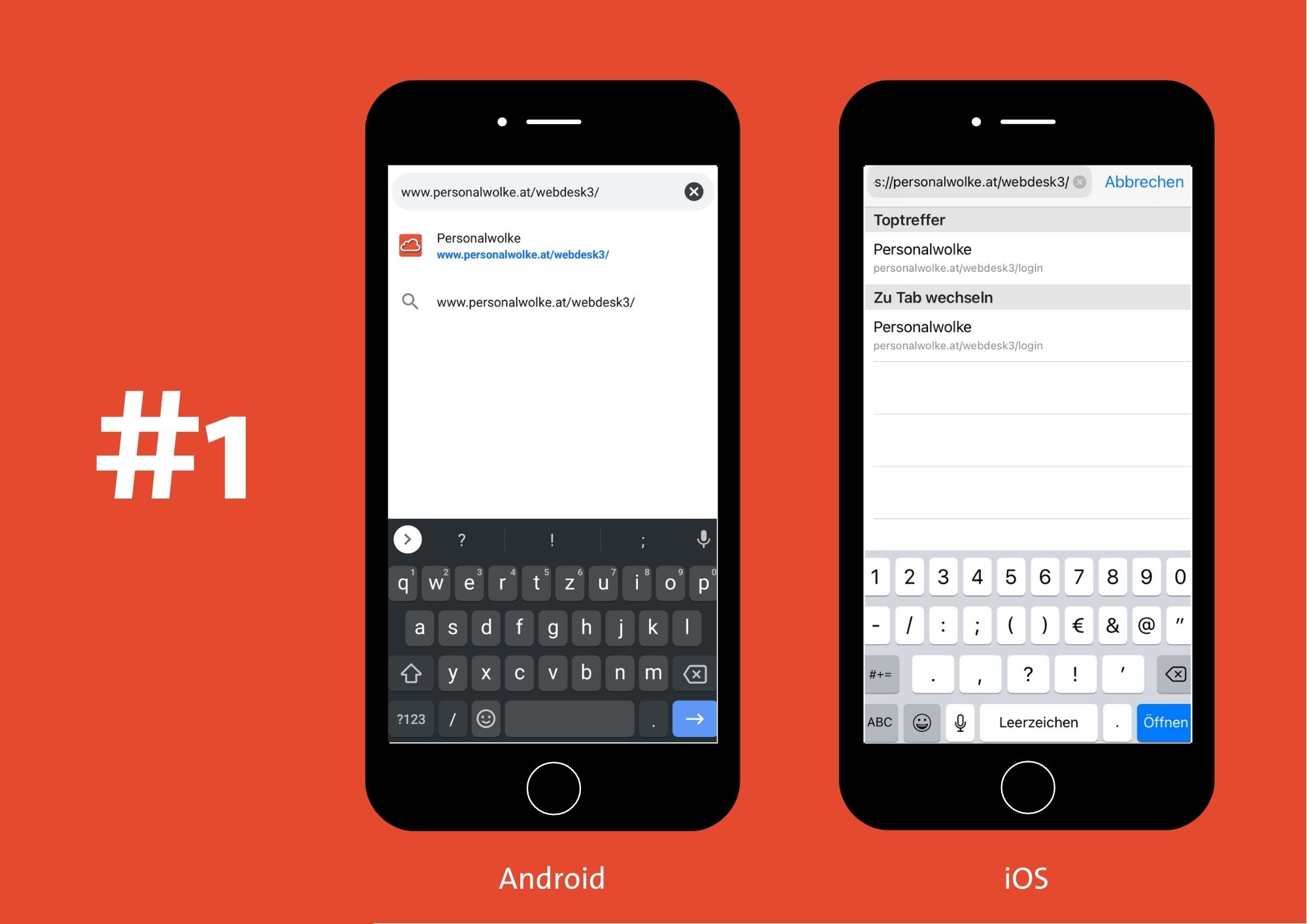
- Open Personalwolke, e.g. https://personalwolke.at/webdesk3/
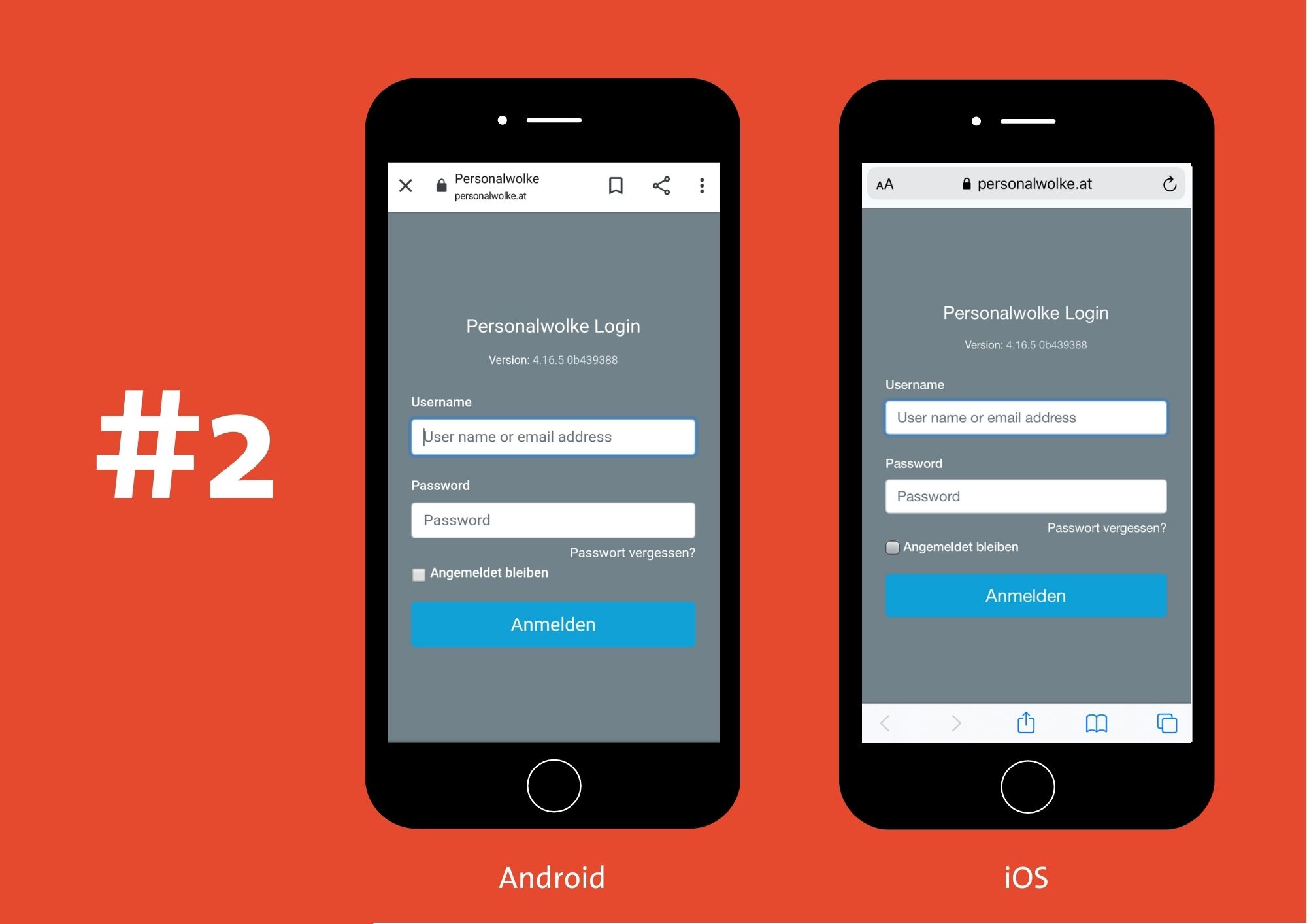
- Log in with your user name and password
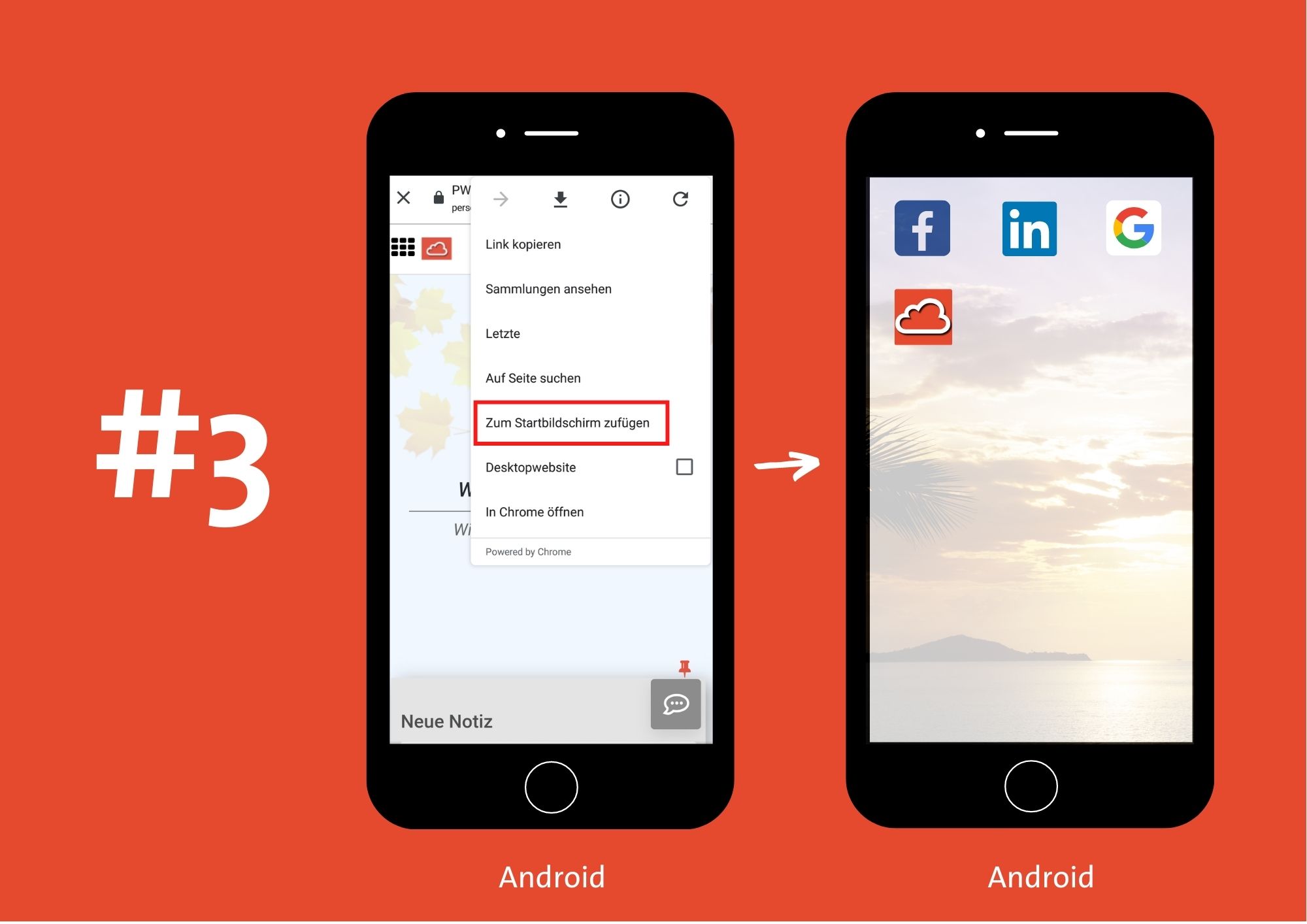
- Tap the 3 vertical dots in the upper right corner
Google Chrome:
- Tap "Add to Home screen"
- Another window opens for entering a name
- Enter a unique name in this window
- This name is displayed below the image / icon on the screen
- Confirm your entry by tapping "Add"
- Your personal Personalwolke is pinned to the screen
Firefox:
- Tap "Page"
- Select "Add to Home screen"
- Your personal Personalwolke is pinned to the screen
iPhone, iPad, & iPod Touch
- Start the Safari browser on Apple iOS
- Open your Personalwolke, e.g. https://personalwolke.at/webdesk3/
- Log in with your user name and password
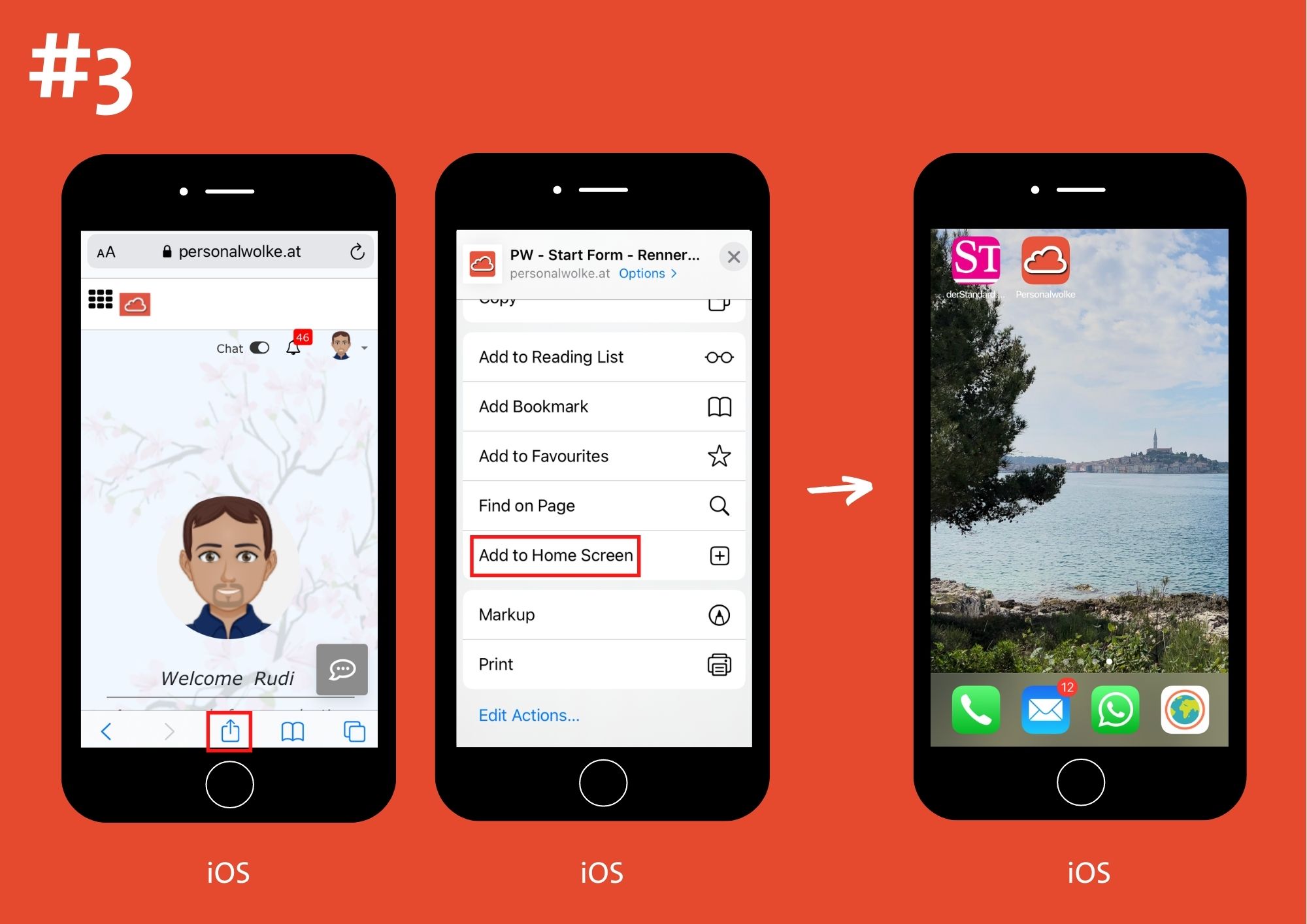
- Tap the "Share" button in the browser toolbar -
- this is the rectangle with an arrow pointing up.
- On an iPad, it is on the bar at the top of the screen,
- and on an iPhone or iPod Touch, on the bar at the bottom of the screen.
- In the Share menu, tap the "Add to Home Screen" icon.
- Enter a unique name in this window
- This name is displayed below the image / icon on the screen
- Tap "Add"
- Your personal Personalwolke is pinned to the screen



 erste
erste

 Vergleiche Versionen 5 und 6