Veränderungen des Inhalts
Klicken Sie für eine detaillierte Beschreibung auf die geänderten Stellen:
Benutzen sie die linke oder die rechte Maustaste, um zur jeweils vorherigen bzw. nachfolgenden Änderung zu gelangen.
Allgemeines
The organigram provides an intuitive and convenient way to move staff from one hierarchical group to another within the organisation.
Adding / removing an employee to / from a LOOSE group is NOT possible via the organigram! For this use case, please proceed as described under "Transferring employees to another department" or "Adding employees to a group".
Procedure
In the menu tree under Administration, select the item organigram and in the mask change the value for "Show employees" from No to Yes.
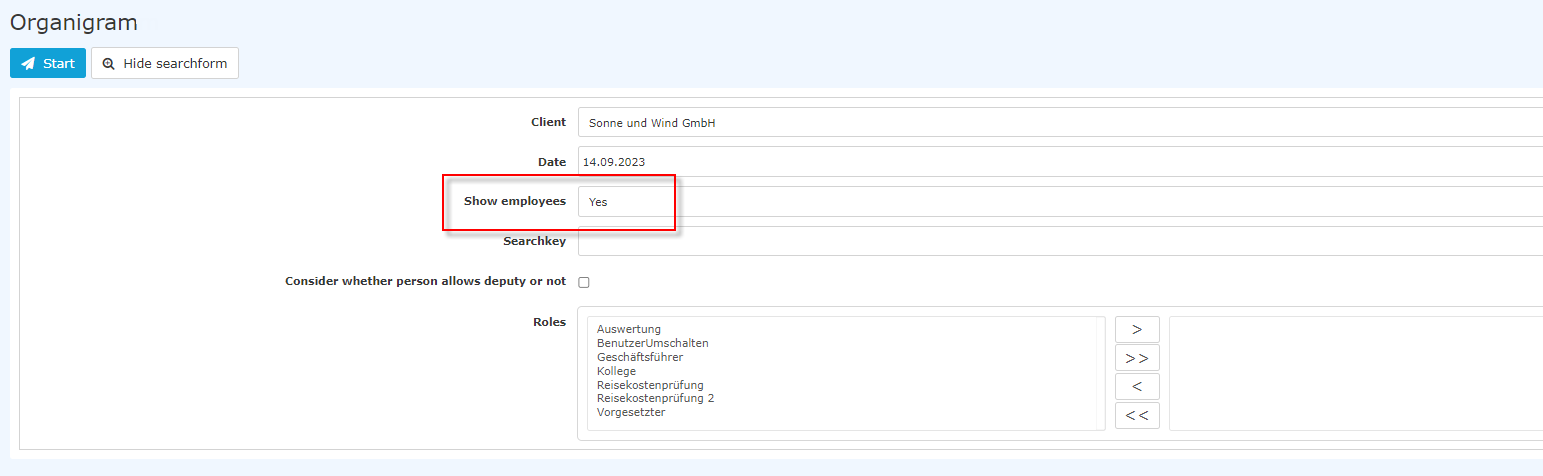
Then click on "Start" to start the output of the organigram.
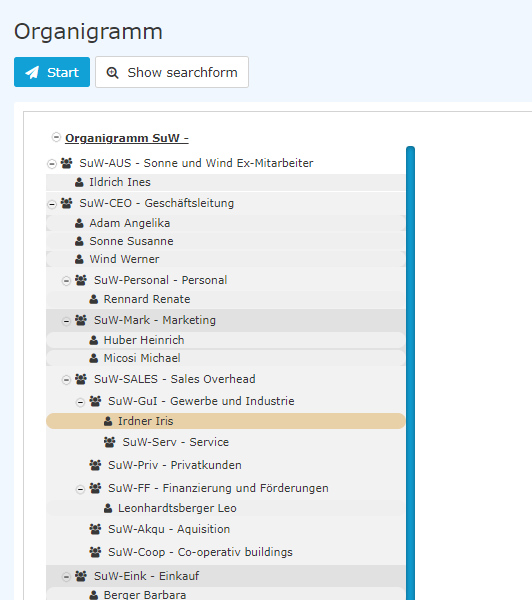
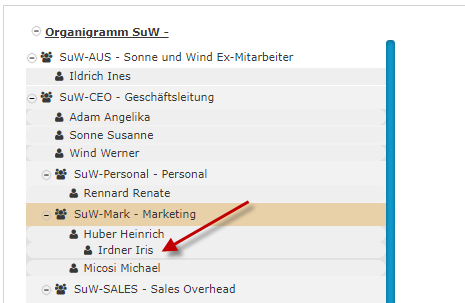
This overview shows the groups and their respective employees, as well as the position of the group within the organigram (hierarchy). In the example above, we can see that the group (
 ) SuW-CEO Management has three employees (

 ) and the group SuW-SALES includes two subgroups, SuW-Akqu and -Coop, which currently have no assigned employees.
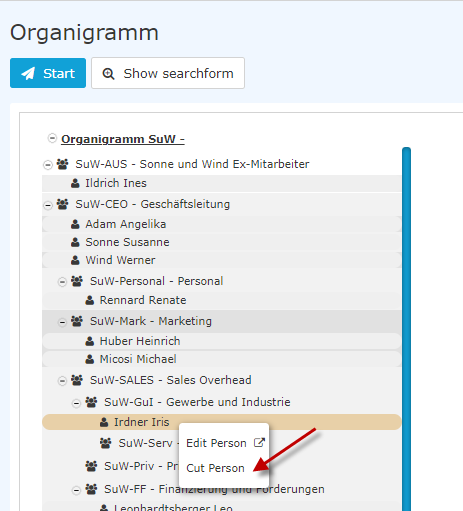
We now want to move the employee "Irdner Iris" from the group SuW-GuI - Gewerbe und Industrie to the group SuW-Mark. To do this, we click on Mr. Juchtmann with the right mouse button and select Cut person.
Then click on the SuW-Mark group with the right mouse button and select Insert Person.
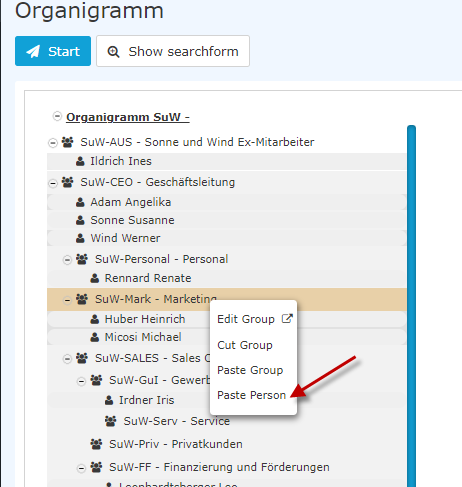
The change is visible immediately.
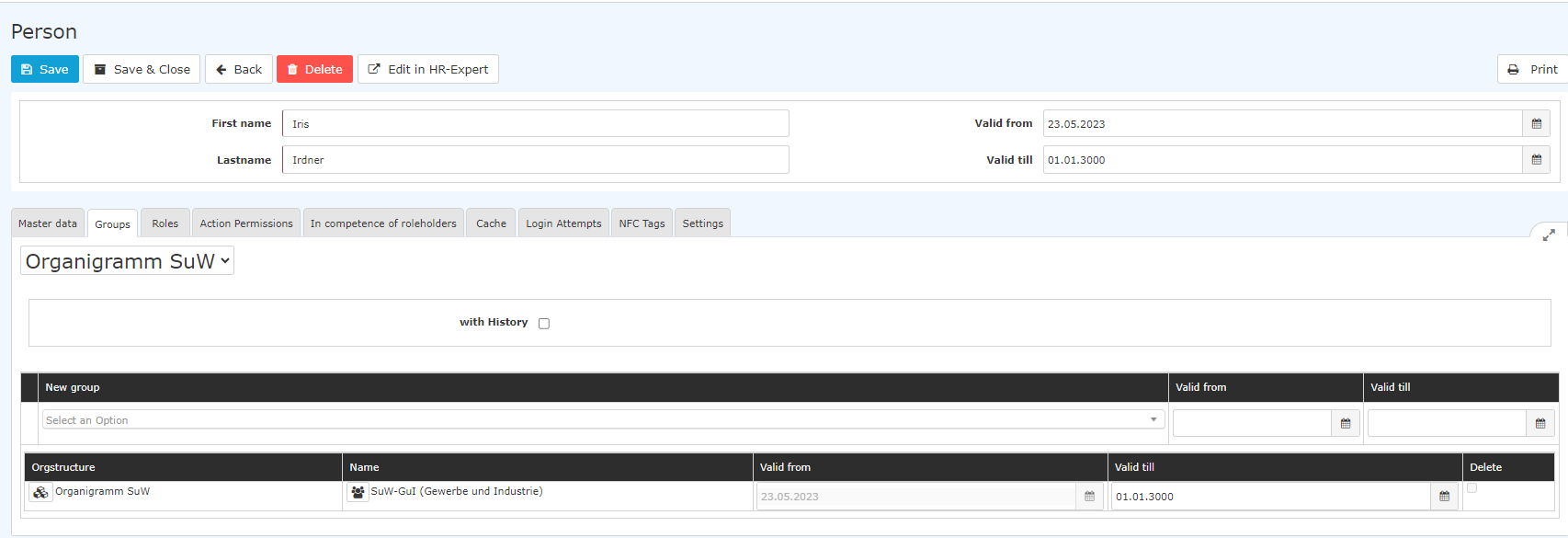
The changes are also immediately visible in the person administration under the Groups tab. Before cutting and moving to the new group....
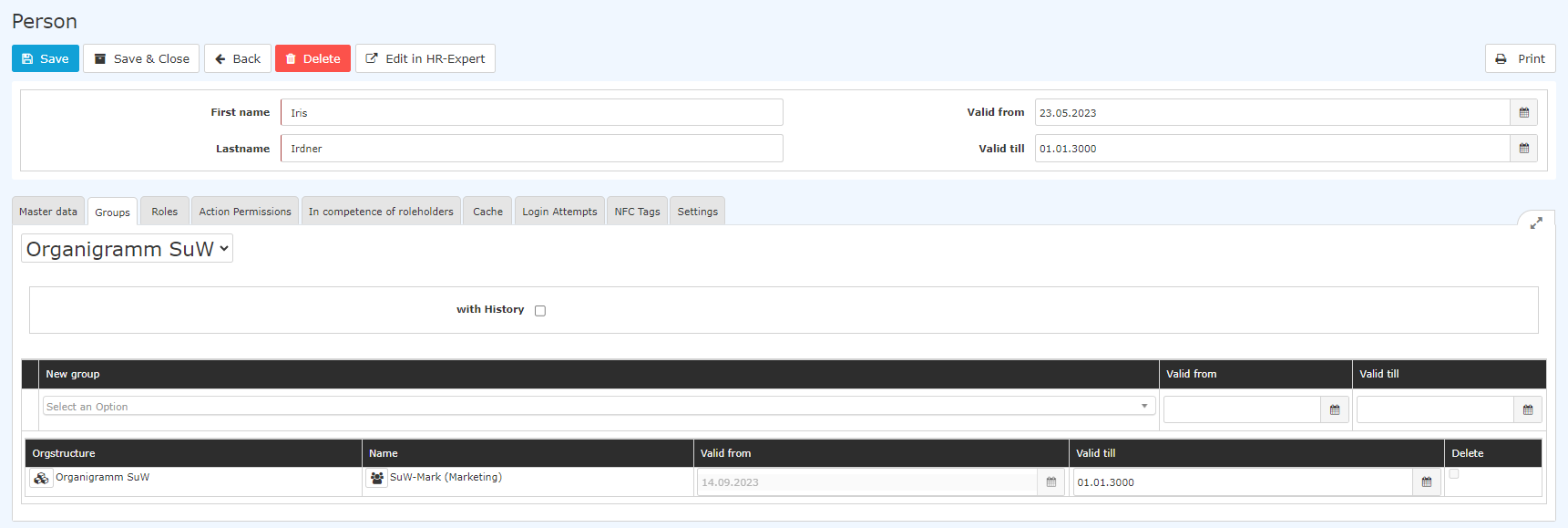
... and after:
Further information
For another way to add a staff member to a new group, see chapters "Transfer Staff to Another Department" and "Add Staff to a Group"
For more information on the organigram, see "Organigram".
The HR Expert application also offers the possibility to change the department/group membership directly in the employee profile. For information on this screen, see "Organisation-Groups tab".
[Editors note: the links to the chapters will follow soon!]

 erste


 Vergleiche Versionen 3 und 4

