Veränderungen des Inhalts
Klicken Sie für eine detaillierte Beschreibung auf die geänderten Stellen:
Benutzen sie die linke oder die rechte Maustaste, um zur jeweils vorherigen bzw. nachfolgenden Änderung zu gelangen.
General information
The following explains the effect of a time booking when the booking status is previously Present. The booking status Present indicates that the employee has already logged in - that is, entered his or her start of work with a booking in the time system.
Case 1: Outgoing booking - Reason empty
The employee interrupts / finishes his or her work (for example, at lunch break / at the end of the working day) and therefore books out.
Booking status before booking
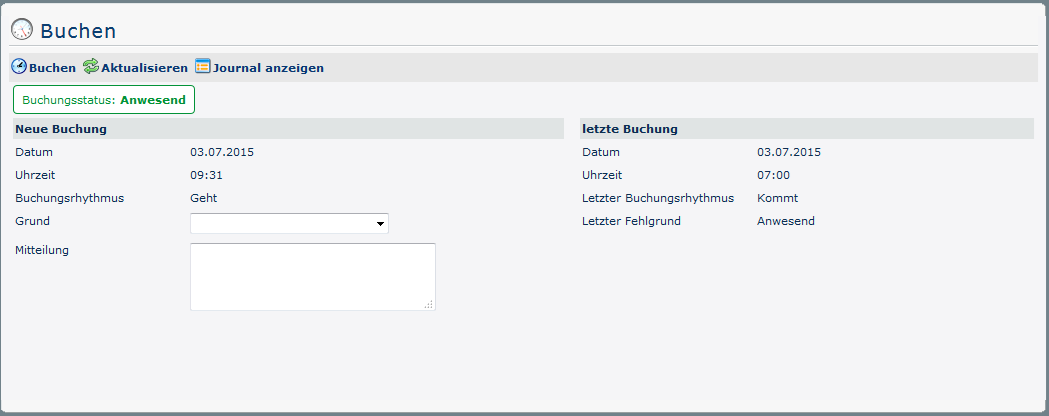
The booking status (green) is Present at the beginning, because on this day (03/07/2015) it has already been booked once. This can be seen in the overview under last booking - here the date (03.07.2015), time (07:00) and reason for absence (Present) of the last come-booking are shown. In addition, the booking rhythm is Leave.
Journal before booking

Click on Show Journal on Show Journal (in the booking screen) to display the employee's monthly journal. The The corresponding line (current date) shows that a posting has been done (07:00).
Booking status after booking
If a (Leave) booking is made by clicking on on  , where the field the field Reason is left empty, the the booking status changes as follows:
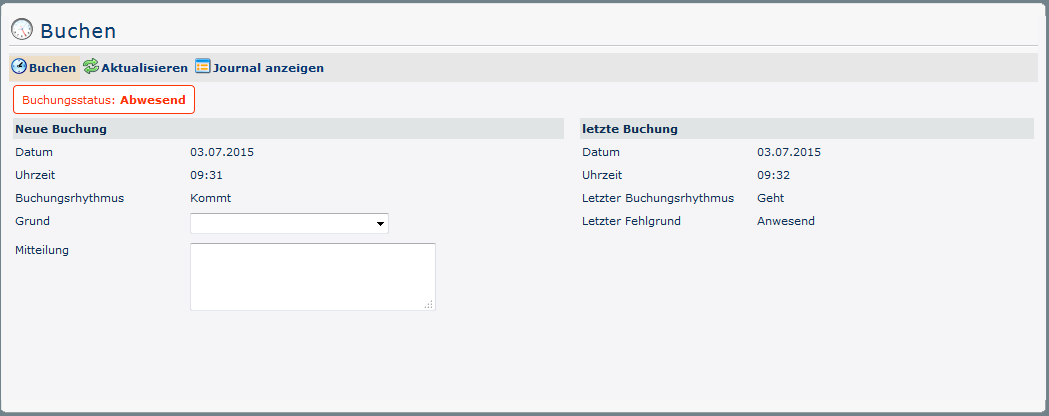
The fact that the booking status (red) now indicates Absent confirms the success of the booking. As a result, the booking rhythm is now set to Come - this means that time recording is resumed with the next booking. Under Last booking, you can now find an overview of the outgoing booking you have just made. This can also be checked in the journal:
Journal after booking booking

In contrast to before the booking, the following change is now visible in the Bookings column: next to the (From) time 07:00 (Time of the Come Booking) there is now a second (To) time 09:32, which marks the time of the outgoing booking. The period in between is therefore considered closed and is included in the balance as of the following day. The employee is now fully booked out again!
Case 2: Outgoing booking with productive absence reason
A productive absence productive absence reason is understood to mean that the employee does his or her job, but this does not take place at the normal workplace. This includes, for example, business trips, work that can be done from home, customer visits, etc. A booking such as the following is necessary, for example, if the employee leaves his or her workplace to make an appointment with a customer.
Booking status before booking
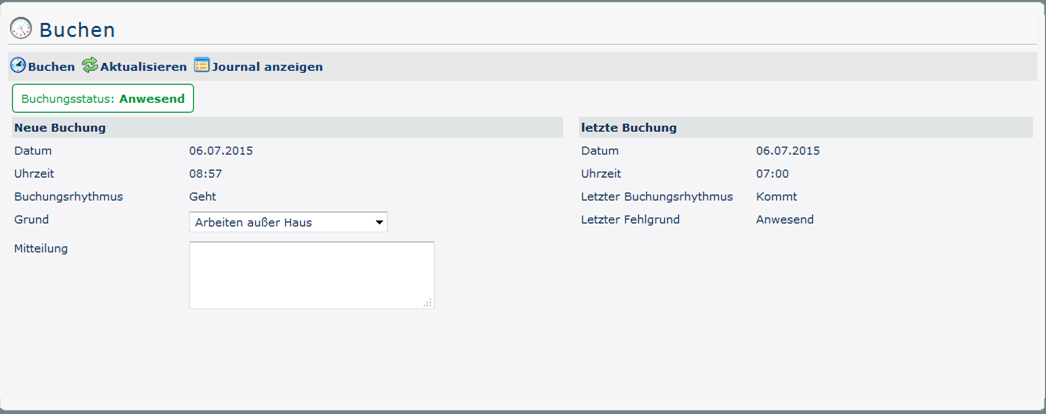
The The booking status status (green) is Present is Present at the beginning, because on this day (06/07/2015) it has already been booked once. This can be seen in the overview under under last booking - here the the date (06.07.2015), time time (07:00) and and reason for absence (Present) of the last last come-booking are are shown. In addition, the the booking rhythm is is Leave.
In the reason for absence field the employee can now select a corresponding productive reason (Teleworking).
Journal before booking

Click on Show Journal on Show Journal (in the booking screen) to display the employee's monthly journal. The The corresponding line (current date) shows that a posting has been done (07:00).
Booking status after booking
If a (Leave) booking is made by clicking on on , the booking status changes as follows, if a productive absence reason (here: work outside the company) is selected in the Reason field:
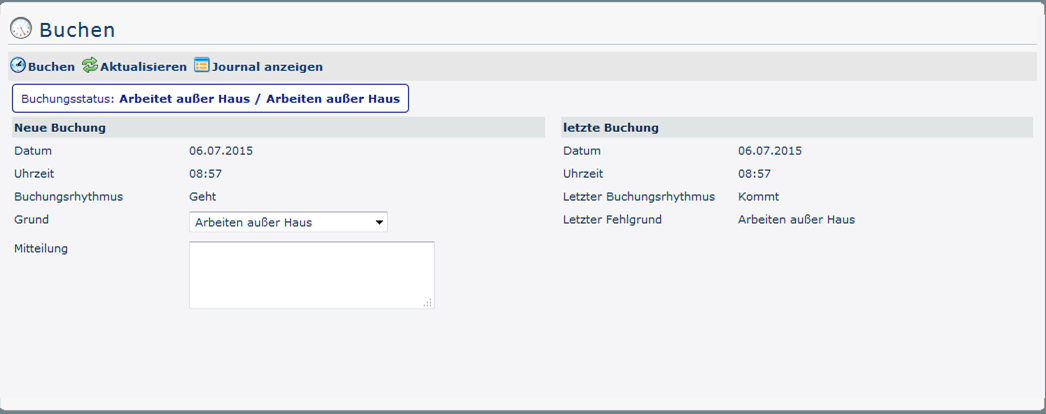
The fact that the booking status (blue) now shows the corresponding productive absence reason confirms the success of the booking. As a result, the booking rhythm is now set to Leave - this means that time recording is ended / interrupted with the next booking. Under Last booking, you can now find an overview of the incoming booking you just made. This can also be checked in the journal:
Journal after booking

In the first line in the booking column there is now a period of presence (productive absence reason). The The period in between is therefore considered closed and is included in the balance as the balance as of the following day. In the second line there is a new booking with a new absence reason "teleworking".
Case 3: Outbound booking with unproductive absence reason
An unproductive
unproductive absence reason
An unproductive absence reason exists if the employee is completely prevented from working for any reason (e.g. visits to the doctor, passive travel times,...).
Booking status before booking
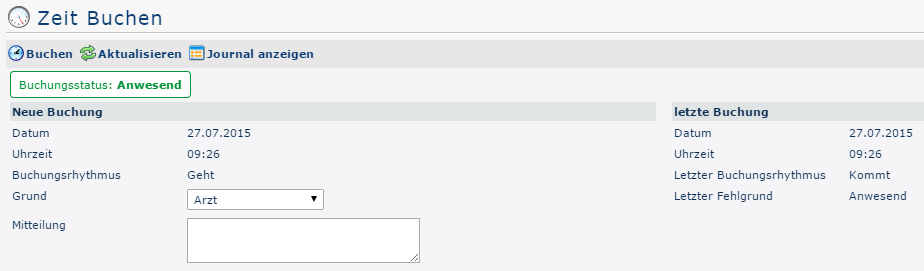
The booking status (green) is Present at the beginning, because on this day (03/07/2015) it has already been booked once. This can be seen in the overview under last booking - here the date (03.07.2015), time (07:00) and absence reason and absence reason (Present) of the last come-booking are shown. In addition, the booking rhythm is Leave.
In the Reason field, the employee can now select a corresponding unproductive absence reason from the preconfigured list (here: doctor).
Journal before booking

Click on Show Journal (in the booking screen) to display the employee's monthly journal. In the corresponding line (current date) in the column Bookings you can also see that a booking has already been made (here at 09:32). With this Come booking the employee has started the time recording on (via the booking mask, via check-in card at the workplace or the WD-Time application from the mobile phone).
Booking status after booking
If a booking with an unproductive absence reason (here: doctor) selected in the Reason field is made by clicking clicking , the booking status changes as follows:
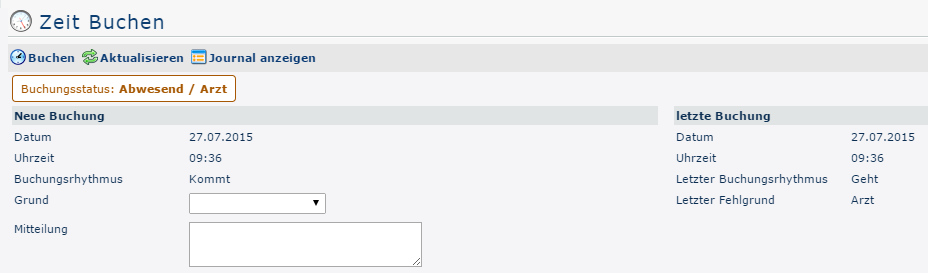
The fact that the booking status (brown) now shows the corresponding unproductive absence reason confirms confirms the success of the booking. The booking rhythm is Come and from the overview under Last booking it can now be seen that the employee was booked out at 09:36 am to go to the doctor.
Journal after booking

In the Bookings column, in contrast to before booking, you can now see the following change: next to the (From) time 09:26 (Time of the Come booking) there is now a second (To) time 09:36, which marks the time of the booking with an unproductive absence reason. The period in between is therefore considered closed and is included in the balance for the next day.
In the line below, a new interval is started with the latest time: this is the time in which the employee is not present due to the specified absence reason. The corresponding unproductive absence reason is also displayed in the Absence Reasons column. When the employee logs in again when he or she returns, this interval, which does not affect the balance (!), is also completed and a normal attendance interval is started.

 erste


 Vergleiche Versionen 2 und 3
