Veränderungen des Inhalts
Klicken Sie für eine detaillierte Beschreibung auf die geänderten Stellen:
Benutzen sie die linke oder die rechte Maustaste, um zur jeweils vorherigen bzw. nachfolgenden Änderung zu gelangen.
General information
The following section explains the effects of a time booking if the booking status was previously set to Absent with a productive absence rproductive absence reason. A productive absence reason is defined as the employee performing his or her work but not at the normal work center. This includes, for example, business trips, work that can be done from home, customer visits, and so on. A booking such as the following is necessary, for example, if the employee has already started work at home (with a corresponding booking with a absence reason of home work), and later logs on at his or her work center with a normal Come booking (reason empty).
Case 1: Comes booking - Reason empty
Booking status before booking
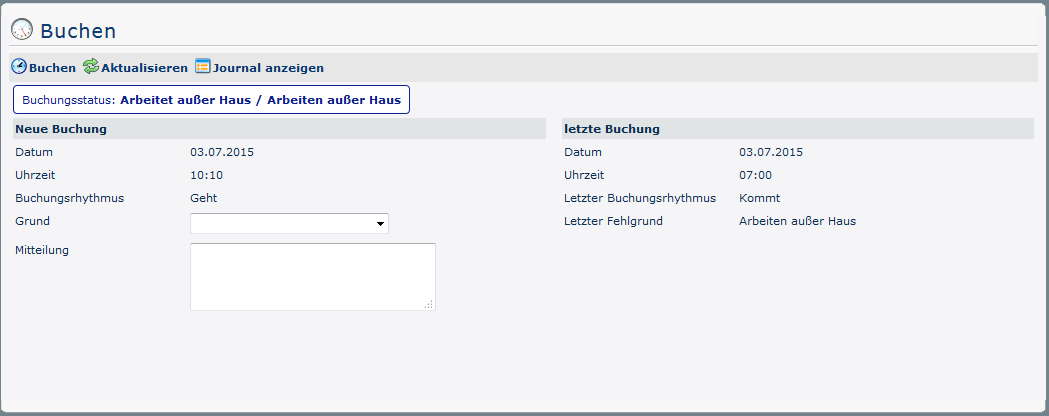
The booking status (blue) is initially set to Work outside the company because a corresponding booking with a productive absence reason was made at 10:10 on this day (07/03/2015). This can be seen in the overview under Last booking - the date (03.07.2015), time (10:10) and absence reason and absence reason (work outside the company) of the last booking are displayed here.
Journal before booking

Click on Show Journal (in the booking screen) to display the employee's monthly journal. In the corresponding line (current date) in the column Bookings column Bookings it is also apparent that a posting has already been made (here at 07:00). With this Come booking, the employee has started time recording from home (or, in the case of a business trip, on the road).
Booking status after booking
If a (Leave) booking is made by clicking on on  , the booking status changes as follows, leaving the Reason field empty:
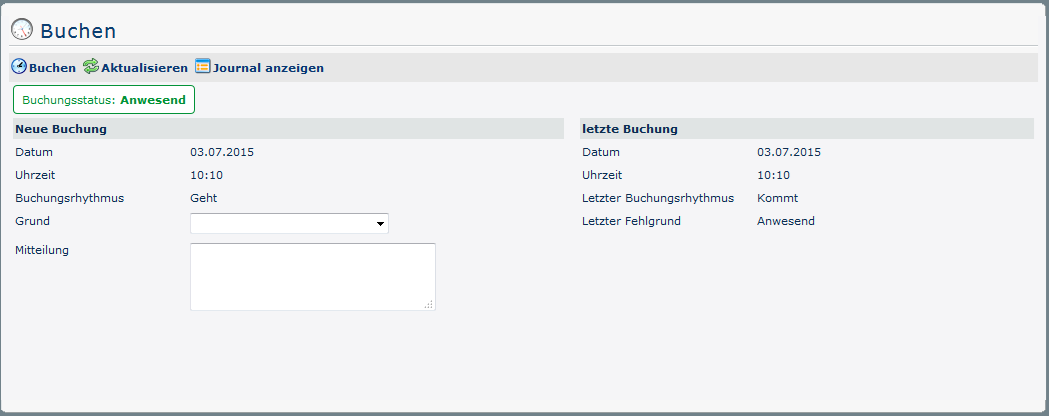
This booking has the same effect on the booking status as if, for example, the user had logged in again after lunch - he or she is now present and the booking rhythm is set to Leave. But more is visible in the journal:
Journal after booking

The interval from 07:00 to 10:13 marked with Work Outside is completed by the Come Booking. At the same time, a new interval (reason empty = regular attendance) is started - this runs until the next booking is made.
Case 2: Outbound booking with productive absence reason
This case deals with what happens when the employee is logged in with a productive reason for absences and makes a new posting by selecting the same one.
Booking status before booking
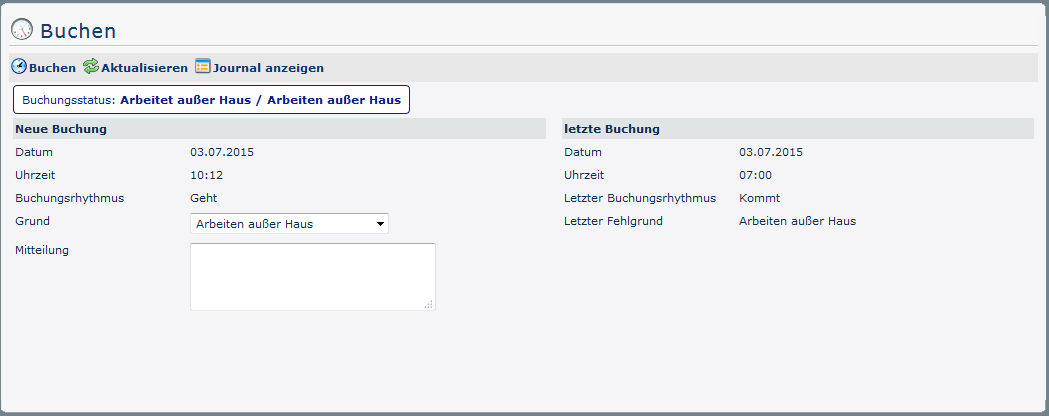
The posting screen is the same as described in case 1. Now, however, in the Reason field, the system selects Work Outside the Company as a substitute for productive absence reasons.
Journal before booking
The monthly journal also resembles the one from case 1 (before the booking).
Booking status after booking
If the (Leave) booking, for which a productive absence reason is selected in the Reason field (here: Work Outside Company), is made by clicking clicking , the booking status changes as follows:
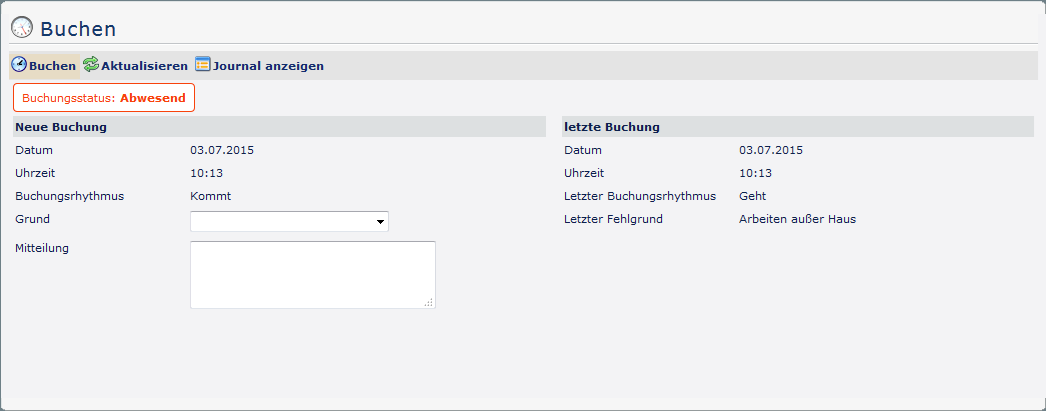
The effect of this booking is the same as what happens happens when the employee books out at the end of his or her service (see: Leaving Booking). The difference between this and working from home can be seen under Last booking - here, the last absence reason appears (here: Working Outside the Company). This can also be seen in the journal:
Journal after booking

In the Bookings column, it now appears that the employee performed work outside the company between 07:00 and 10:13. The new booking with a productive absence absence reason ended time recording at 10:13, without starting a new interval (in contrast to case 1).
Case 3: Outbound booking with unproductive absence reason
Booking status before booking
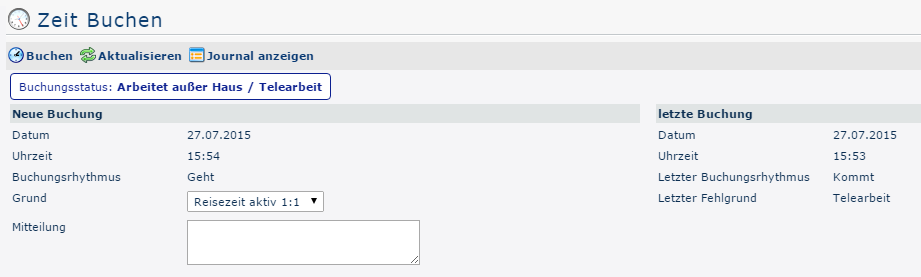
The booking screen is the same as described in case 1. Now, however, the the Travel Time Active 1:1 1 field is selected as the new productive absence reason.
Journal before booking
The monthly journal also resembles (before booking) those from cases 1 and 2.
Booking status after booking
If If the (Leave) booking is made by clicking on on and and a productive absence reason - which is not the same as the one displayed in the booking status - is selected in the Reason field (here: Travel time active 1:1), the booking status changes as follows:
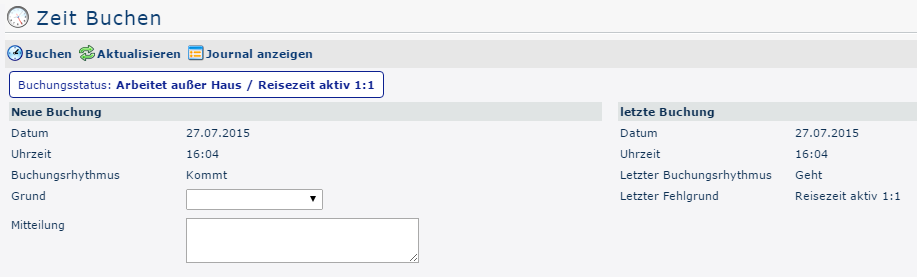
Apart from the booking status and the update of the overview of the last booking, no changes are visible in the booking mask.
Journal after booking

In the column Bookings it now appears that the employee performed work outside the company between 15:53 and 16:04. Time recording ended at 16:04 when posting with a different productive absence reason (travel time 1:1). In contrast to case 2, however, a new interval with the changed absence reason was started at the same time.

 erste


 Vergleiche Versionen 4 und 5
