Veränderungen des Inhalts
Klicken Sie für eine detaillierte Beschreibung auf die geänderten Stellen:
Benutzen sie die linke oder die rechte Maustaste, um zur jeweils vorherigen bzw. nachfolgenden Änderung zu gelangen.
To set the 2up two-factor authentication, the employee must go to the profile settings on the start home page (click on the avatar or name in the upper right corner of the start home page, see pictureimage).
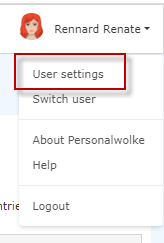
The information and input mask is opened by clicking on "User settings" Clicking "Settings" opens the settings page.
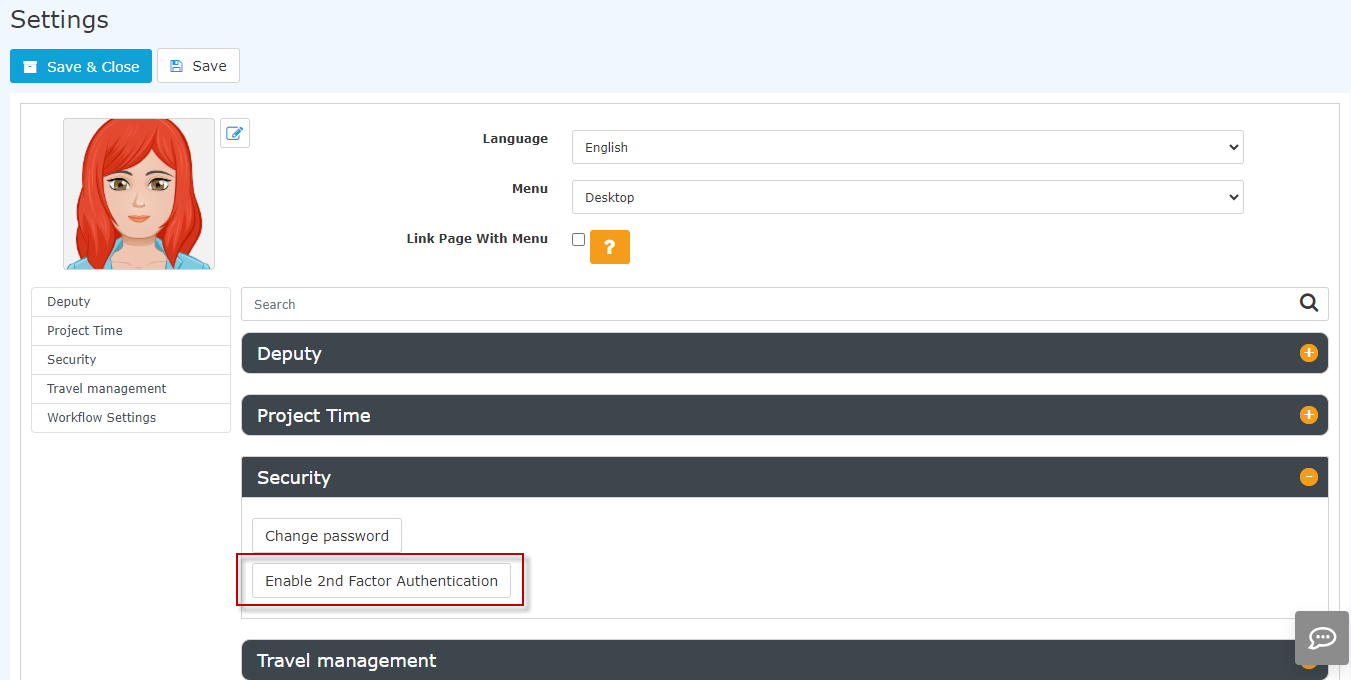
Activation is done by clicking on the button "Enable 2two-factor authentication" and following the instructions in the window that then opens. The process itself is supported by the use of apps such as Google Authenticator.
Attention Note! Each staff member employee can decide for themselves whether 2two-factor authentication takes place at login, as since this is an individual entry in the profile settings.
However, it is also possible to make this it mandatory for the entire organisationorganization. This is done via through a setting directly on the client. If you would like mandatory 2two-factor authentication, please contact the Workflow advisorsconsultants and experts.

 erste


 Vergleiche Versionen 4 und 5

