Veränderungen des Inhalts
Klicken Sie für eine detaillierte Beschreibung auf die geänderten Stellen:
Benutzen sie die linke oder die rechte Maustaste, um zur jeweils vorherigen bzw. nachfolgenden Änderung zu gelangen.
This overview provides a monitoring tool for planned or already consumed absences (holidays).
Already submitted and approved absences will be shown in blue colour, submitted, but not yet approved absences in red colour. Saturdays are marked in a light yellow, sundays in dark yellow colour. Red marked days are flaged as holidays.
Attention: Appointments (calendar entries) from the Groupware-System (Notes or Exchange) are only available, with an activated Calendaring Module.
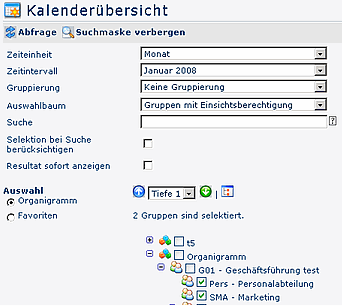

The selection of the requested units/departments is operated either via the the organigramm or the favourits-list. For detailed
For detailed desription of handling, please see chapter see chapter >> Management.
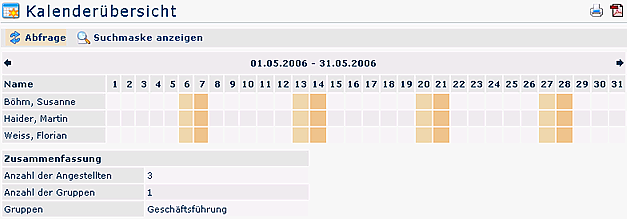
A click 
A click on an absence reason, opens a detailed info display. Already recorded appointments are marked with a small rectangle on the spec. date. By clicking on the rectangle you will receive information concerning information concerning the appointment.
The arrow-buttons allows you to scroll into the future or past.
Links
Konfiguration für den Administrator
 erste
erste


 Vergleiche Versionen 2 und 3
