Veränderungen des Inhalts
Klicken Sie für eine detaillierte Beschreibung auf die geänderten Stellen:
Benutzen sie die linke oder die rechte Maustaste, um zur jeweils vorherigen bzw. nachfolgenden Änderung zu gelangen.
The Accumulative time correction form allows to place several time corrections for several dates in the same application.
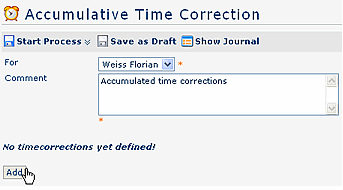
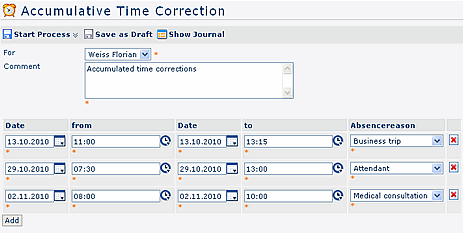
Enter a comment, and then click on the "Add" button. This evokes a line with following fields, which have to be filled in:
- date
- time from - to
- absence reason
You can add as many correction lines, as you need.
Analogue to the other forms, the journal provides help.
You can start the form either form either directly, by a click on the Start process button, or save it as it as a draft for further editing, by clicking on clicking on the Save as draft button. For detailed
For detailed description of handling, please see chapter see chapter > Requests.
 erste
erste


 Vergleiche Versionen 2 und 3
