Veränderungen des Inhalts
Klicken Sie für eine detaillierte Beschreibung auf die geänderten Stellen:
Benutzen sie die linke oder die rechte Maustaste, um zur jeweils vorherigen bzw. nachfolgenden Änderung zu gelangen.
General
This article describes the steps required to install a Microsoft SQL Server 2016 Express Edition. Webdesk needs it for the permanent storage of data records.
Installation
Installation window Window 1
DoubleDouble-click on the Exe-File will start clicking the exe file starts the installation process.
After a very short brief extraction, a window opens with the selection optionfollowing options:
-
default
-
Basic
- Custom
- Download media
Choose default
Select Basic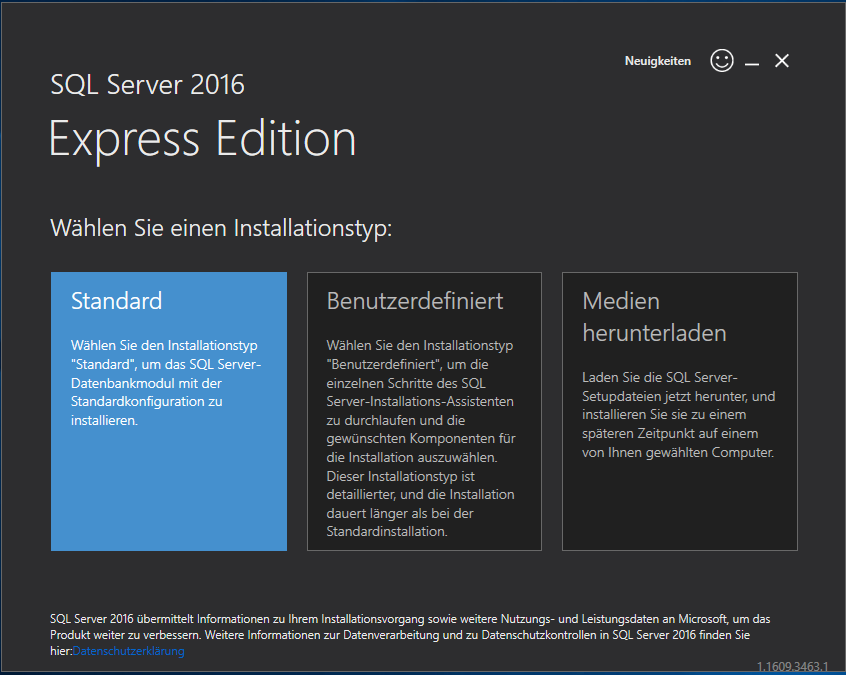
Accept the license terms by clicking nextAccept
Installation path, : confirm the default preset path with by clicking Install
SQL gets is installed
After the Installation process is done a number of prefilled filenames appear in this window and some installation, this window shows a series of prefilled file paths and a few buttons in the lower area:
- Connect now Now (opens a command prompt)
-
To adjust
-
Customize
- Install SSMS
- Close
Check in In the Windows services, check whether the SQL Server service is running: yes
Click on install SSMS opens Clicking Install SSMS opens a page in the browser with the link to download SQL Server Management Studio 16.5. 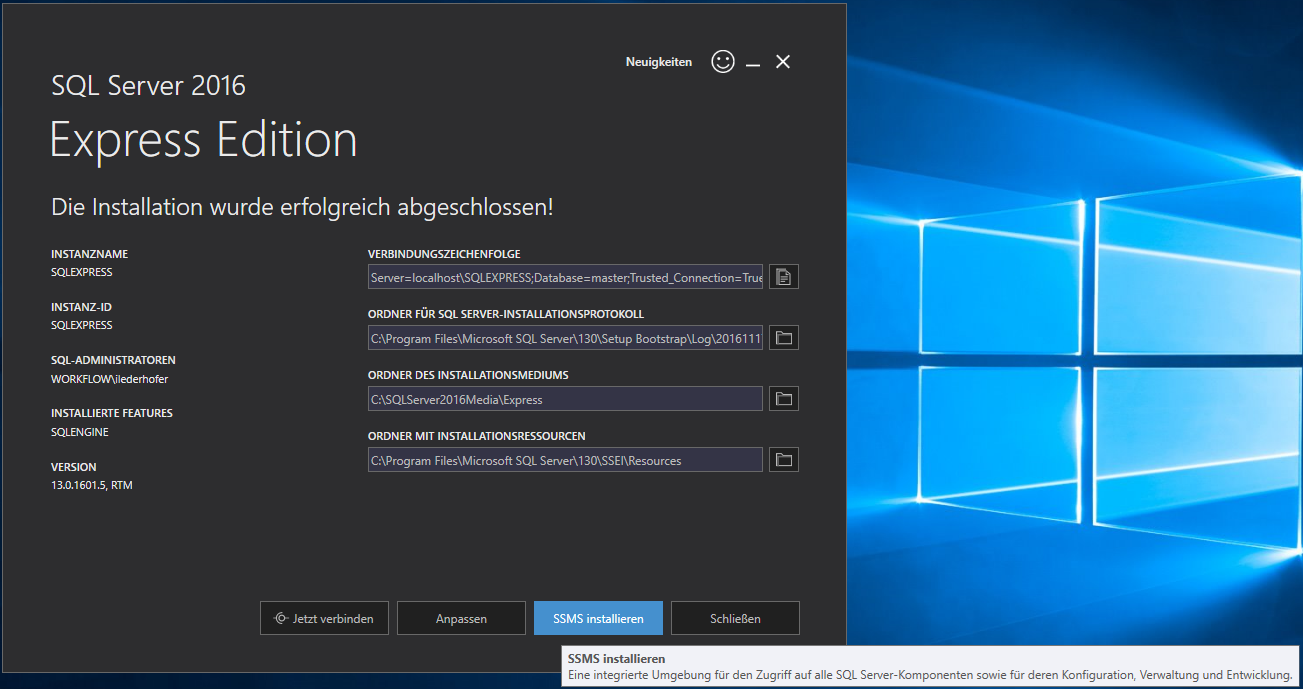
Minimize the current Installation previous installation window
Installation window Window 2
Double-click on the File Double-clicking SSMS-XXX.exe starts the Installation License and Privacy Policy, installation
The license and privacy terms appear in the installation window , click --> Install 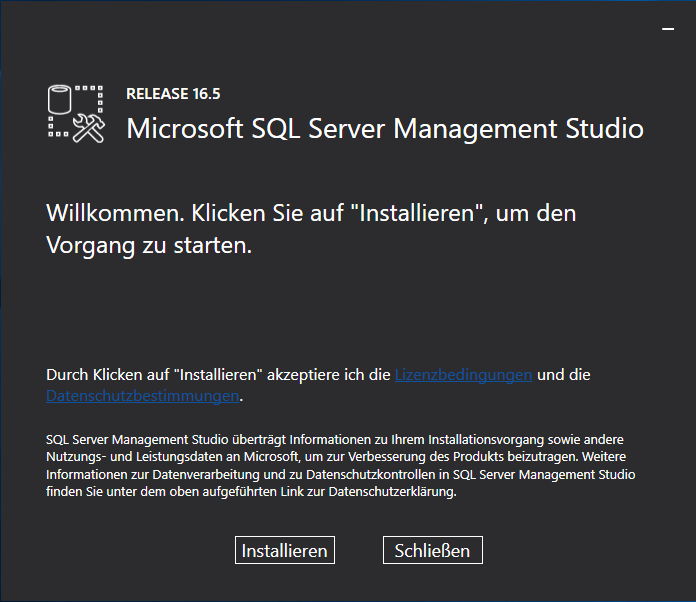
After the installation, the Close button appears
Installation window Window 1
Reopen Open the minimized Installation window, click To adjust
„including SQL Server-Produktupdates“ are allready checked, next
Setupfiles get installed
Installationruls, installation window and click Customize
"Include SQL Server product updates" is checked, then continue
Setup files are installed
Installation rules: the status of the previous installation so far is displayed , next Installationtyp: choose „Add --> continue
Installation type: select "Add features to an existing instance of SQL Server 2016 instance“", weiter („install new SQL Server 2016“ then continue ("Perform a new installation of SQL Server 2016" creates a second instance and makes causes problems) 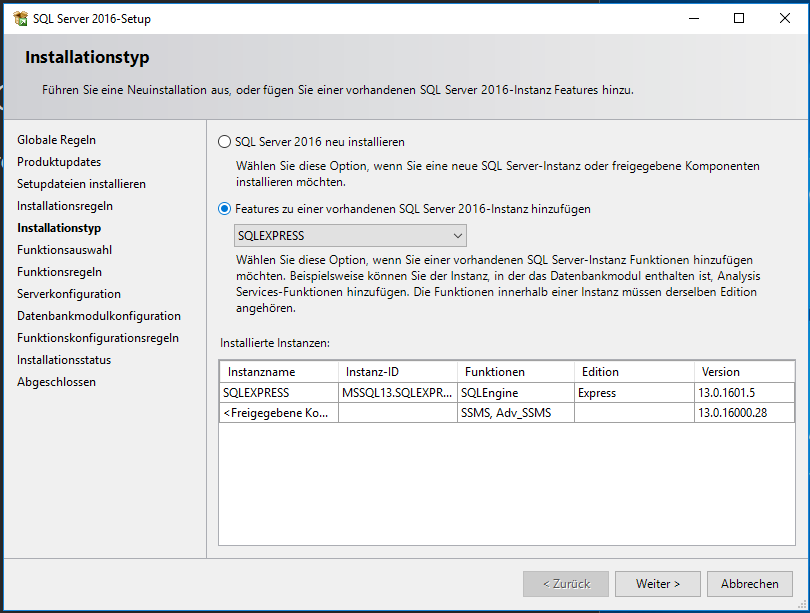
Function Feature selection: Shows shows the functions features to be added and some directories, „SQL Server Replication“ is not needed, next Everything a few directories ("SQL Server Replication" is not needed) --> continue
Since everything necessary is already installed , cancle Check in the Windows services whether --> cancel
In the Windows services, check whether the SQL Server service is running: yes
 erste
erste


 Vergleiche Versionen 3 und 4