Veränderungen des Inhalts
Klicken Sie für eine detaillierte Beschreibung auf die geänderten Stellen:
Benutzen sie die linke oder die rechte Maustaste, um zur jeweils vorherigen bzw. nachfolgenden Änderung zu gelangen.
Configuration
Open SQL Management Konsole
General
This article describes how to use the Microsoft SQL Management Console to create the databases required for Webdesk EWP
and to define a technical user for access from Webdesk.
Steps in Detail
Open the SQL Management Console
Connect to SQLEXPRESS using Windows authentication.
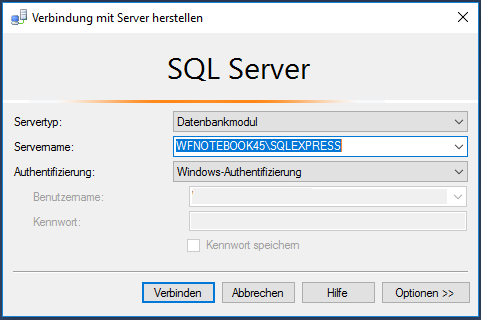
Collapse In the Server
Databases, Right click, create new database 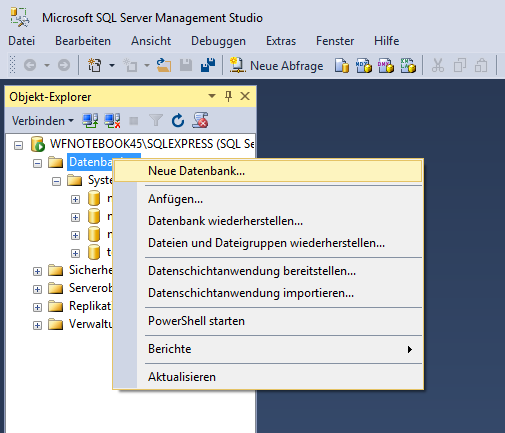 Tab General
Object Explorer, expand the server node
-
Right-click Databases - create a new database
General tab: Name: webdesk
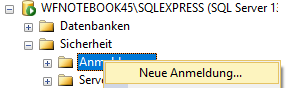
- Security , Right click, new, Registration - right-click Logins - New Login
- General:
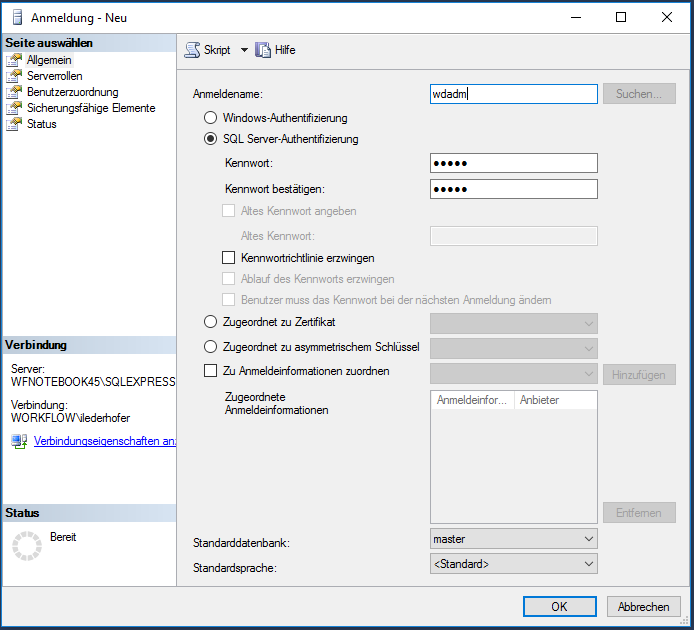
- Name: wdadm
-
choose SQL Server-Authentifikation
-
type the Password twice
-
uncheck "Force the password directive"
Serverrols check: 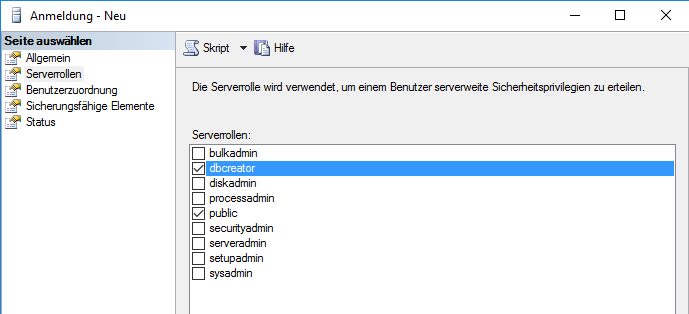
Databases/webdesk/Security/Users: 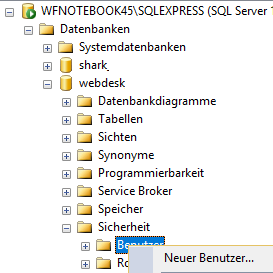
-
Right click, new User
General: 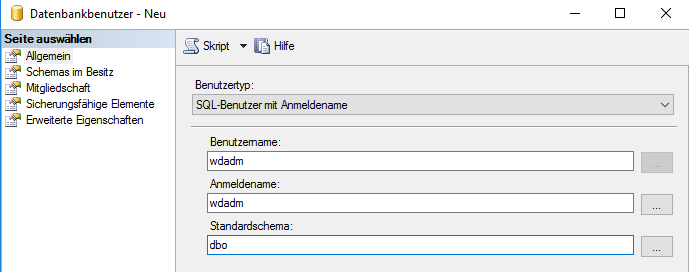
-
Usertyp: SQL-User with login name
-
Username Select SQL Server authentication
-
Enter the password twice
-
Disable Enforce password policy
-
Check the server roles:
-
Databases - webdesk - Security - Users:
-
Right-click Users --> New User
-
General:
-
User type: SQL user with login
-
User name: wdadm
- Login name: wdadm
-
Standardschema Default schema: dbo
-
Check Owned Schemas in possession check
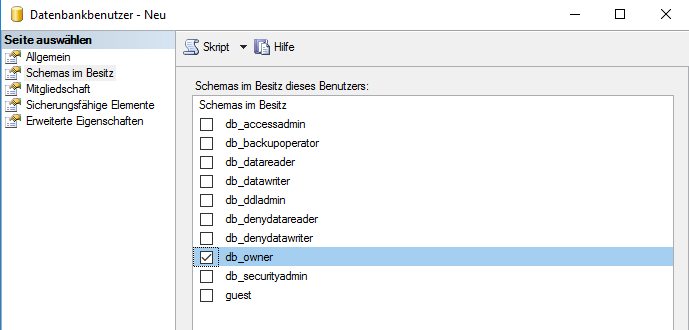
-
membership check Check Membership
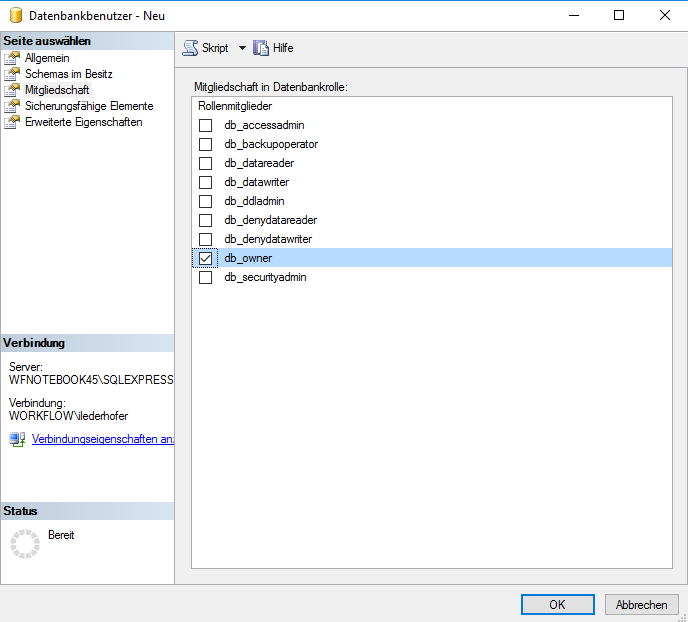
-
Databases, Right click, create new database Tab General Create the database
General tab: Name: shark
-
Datenbases/ Databases, shark/, Security/User, Users:
- Right-click, new New User
- General:
-
Usertyp User type: SQL -User user with login
-
User name Username: wdadm
- Login name: wdadm
-
Standardschema Default schema: dbo
-
Check Owned Schemas in possession check
-
membership check
-
Check Membership
- Right-click on the SQL Server
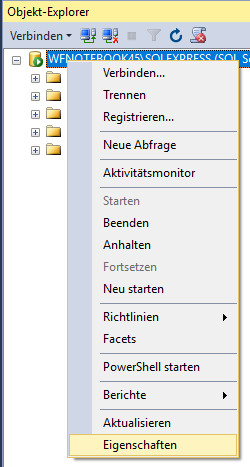
- Open Properties:
-
Tab Security Select the Security tab
under Server authentication, select the option "SQL Server and Windows Authentication Mode" option in the Server Authentication section, okmode", then OK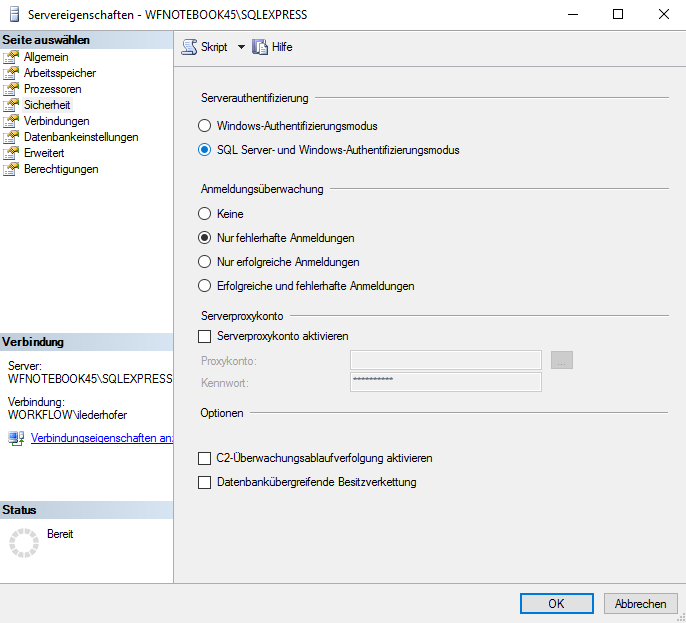
- Restart the Server service
Important! The
IMPORTANT! The user must be the owner of the databases in order to be able allowed to read, write, and delete data, ; otherwise the Webdesk may not work cannot function properly.
 erste
erste


 Vergleiche Versionen 2 und 3