Veränderungen des Inhalts
Klicken Sie für eine detaillierte Beschreibung auf die geänderten Stellen:
Benutzen sie die linke oder die rechte Maustaste, um zur jeweils vorherigen bzw. nachfolgenden Änderung zu gelangen.
To assign permissionsfor to book to a specific project, as an administrator , you access the project overview via
MODULES
--> Project time acquisition Time Tracking
--> Projects
Select the desired project and click on the "Permissions" tab to get to the permissions permission overview. Here you will find an overview of all existing permissions already assigned for this project, as well as the possibility option to delete, and modify existing permissions and, of course, to assign new ones. To do thisso, proceed as follows:
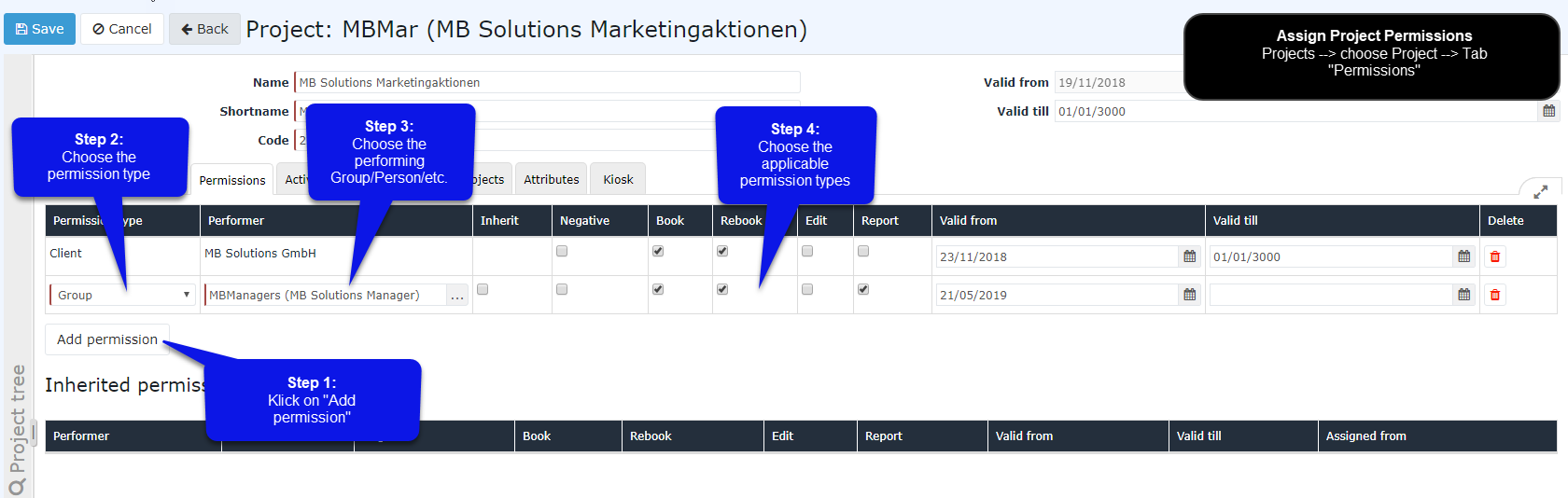
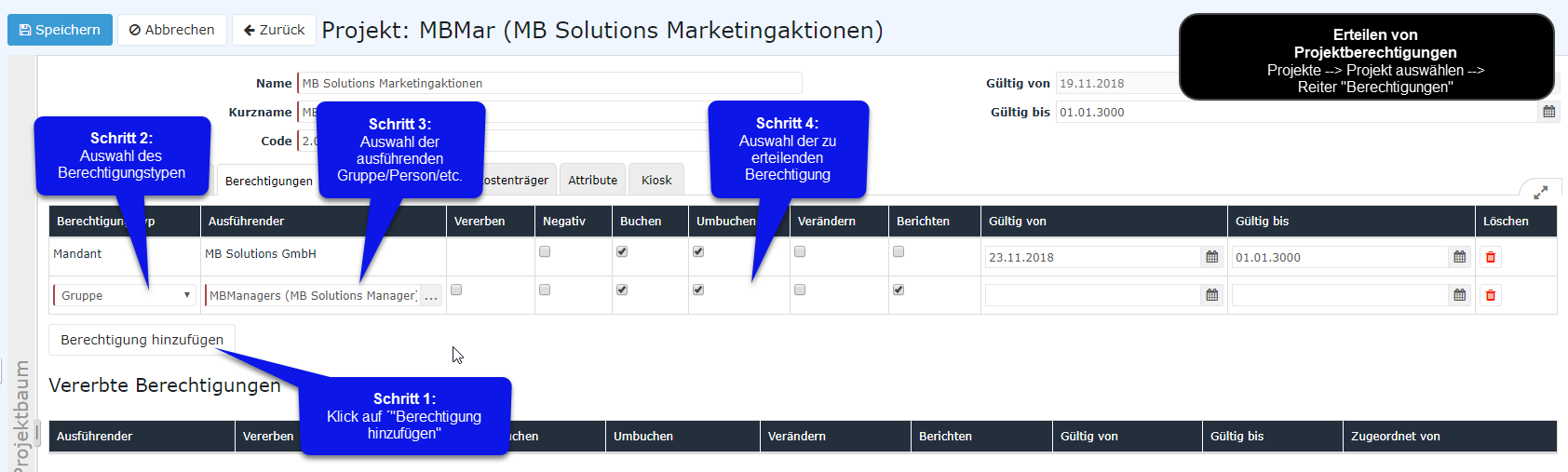
1) Klick on button Click the "Add permission" button
2) Choose Select the desired subject permission type for permission (whole should an entire client, a group, or an individual rolesrole/persons receive the permission?)
3) Choose the desired subject which shall be permitted (which client, group, role, person) 4) Choose the desired permission category(multiple types pickable) more about the different permission categories5) Select date for Select the client/group/person/role that is to receive the permission
4) Select the permission type (multiple possible)
More information on the various permission types
5) Select "valid from" (if nothing is inserted entered here, the current date is assumed)
6) Select date for "valid tilluntil" (if nothing is specified entered here, the longest possible validity is assumed)
|
Assign Assigning project permissions:
|
 |
 |
 erste
erste


 Vergleiche Versionen 4 und 5