Evaluate Project Time Recordings
In Webdesk EWP, project times can be clearly evaluated and
compared by various criteria such as time, project, customer, or
billability.
The basis for this is the configurable action
"ptm_getOrgProjectEfforts", which, depending on the configuration and
permissions, can deliver project time evaluations for individual persons, groups,
project structures, or clients.
The configured action can be given any name (e.g., "My
project efforts") and, after setup, added as an item to the menu tree
in order to access tailored project reports at any time. The results can also be
integrated into various reports and converted into PDF
and Microsoft Excel formats.
Obtaining Evaluations
The following instructions for evaluating project times are based
on an example configuration of the action "ptm_getOrgProjectEfforts".
Depending on your own configuration, the view and the availability of options may
differ. Further instructions on the configuration of the
Webdesk project time evaluation action can be found
here.
To obtain evaluations, select your configuration of the action
"ptm_getOrgProjectEfforts" in the menu tree (the name is
self-chosen, e.g., "Project effort reports", "My project times", or
"Project reports"). A mask appears with various options for filtering
the evaluation:
|
From
|
Date (period) from which project efforts are to be considered in the
evaluation
|
|
To
|
Date (period) until which project efforts are to be considered in the
evaluation
|
|
Structure
|
Selection of the project structure whose project efforts are to be evaluated.
If nothing is selected here, all structures are considered
|
|
Project
|
Selection of the project whose efforts are to be evaluated. If nothing is
selected here, all projects are considered.
|
|
Customer
|
Selection of a customer whose project time efforts are to be considered in
the evaluation. If nothing is selected here, no filtering by customer takes place.
|
|
View variant
|
Selection of the report variant (how/which data should be displayed?).
By default, 6 report variants are available; more can be configured
here.
|
|
Description
|
More detailed description of the selected view variant
|
|
Select billability
|
Selection of whether only billable, only non-billable, or all
project times are to be considered
|
|
With subprojects
|
Yes/No selection of whether subprojects are to be displayed broken down
separately
|
|
Show project hierarchy
|
Selection of whether evaluated project times are to be displayed
hierarchically in the context of the project structures
|
|
Show individual bookings
|
Yes/No selection of whether each individual project time booking is
displayed separately as a row or not
|
|
With historization
|
Yes/No selection of whether historical project time efforts (e.g., after a
group change) are also included in the evaluation.
Example: The employee Rudi Renner switched from the department
(group) "Development" to the group "Sales" in June of last year. If "Yes" is selected
for historization, Rudi's production efforts from the group "Development"
(Jan.-Jun.) and from the group "Sales" (Jun.-Dec.) are displayed in the
annual evaluation. If "No" is selected, only the project time efforts from the
employee's current group (in Rudi's case "Sales") are evaluated.
|
|
Alternative report title
|
Option to select an alternative title to be displayed in the report (and
in the export views) instead of the action name
|
|
Output format
|
Selection of the output format: print view, PDF, or Microsoft Excel. If
this field is left empty, the output is shown on screen
|
|
Selection tree
|
Selection of the groups whose project times are included in the evaluation:
-
Groups with view permission: shows project times of
all groups the user is permitted to view
-
All groups: shows project times of all groups of the
client, even if the user has no view permission
|
|
Search
|
Here the project time evaluation can be filtered once more by specific persons or
groups. The word entered must match at least part of the first or last name of a
person or the short name/name of a group.
|
|
Consider selection in search
|
Yes/No checkbox: When searching for persons or groups, should the filter
criteria entered above (structure, project, customer, etc.) also take effect?
|
View Variants
In principle, two view variants are preconfigured in the standard action for
project time evaluation, which are sufficient for the usual overviews and
areas of application:
-
Sorted by booking element
Alphabetical sorting of the booked projects with the
project as the top level (hierarchy: project > year
> month > group > employee)
-
Sorted by date
The project time efforts are displayed in a time series with
the year as the top level (hierarchy: year >
month > week > date > group > employee
Tree/Favorites Selection of Groups
Here you have the option to select the groups to be considered in the
project time evaluation directly from the organization chart by clicking.
Individual favorites can also be defined as a filter template.
-
Organization chart
- All folders marked with a plus (+) symbol can be
expanded further to show the subunits.
- Clicking checks the unit in question. A double-click
automatically checks all subunits as well
- Clicking the green arrow > Show subgroups
to depth (depth 1-3) > displays all existing subgroups
- Using the blue arrow > Collapse tree > this view is
minimized again, so that only the parent groups appear
- Show details > clicking the
symbol
 displays
the selected groups clearly in a list to the right
of the symbol. Clicking again hides the detailed information.
displays
the selected groups clearly in a list to the right
of the symbol. Clicking again hides the detailed information.
- Clicking the Query button starts the
search.
-
Favorites
Once you have switched to the Favorites view (see
screenshot), clicking
"Add" 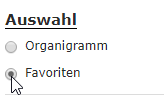 lets you create both
groups and persons as a quick selection for filtering the
evaluation. If you now check the checkbox for groups
and/or persons and click the
Query button, these saved filter criteria
are applied in the evaluation.
lets you create both
groups and persons as a quick selection for filtering the
evaluation. If you now check the checkbox for groups
and/or persons and click the
Query button, these saved filter criteria
are applied in the evaluation.
Viewing Evaluations
If you have chosen the screen view of the evaluation
(nothing was selected in the "Output format" field), the evaluation is displayed as a
collapse element. Depending on the selected
view variant, the data is structured differently (e.g.,
primarily by date, by project, by person).
- Using the small arrows, entries can be individually
expanded and collapsed
- The "Expand report" button expands the entire
report including all sub-elements
- Via "Collapse report" it is reduced again to the
highest-ranking level(s)
- With the "Show/hide columns" button, individual
information columns in the table can be shown or
hidden
Via the export buttons (print, PDF, Excel) at the top left, the
report can also be exported afterward to other formats.
The following screenshot shows an example of a
project time evaluation in the chronological view variant as a time series.