Veränderungen des Inhalts
Klicken Sie für eine detaillierte Beschreibung auf die geänderten Stellen:
Benutzen sie die linke oder die rechte Maustaste, um zur jeweils vorherigen bzw. nachfolgenden Änderung zu gelangen.
Configuration
Open SQL Server Configuration Manager by typing mmc.exe and searching for
General
This article describes the steps required to prepare the previously installed SQL Server 2016 Express for external access via TCP/IP over port 1433.
Steps in Detail
Open the SQL Server Configuration Manager by launching mmc.exe (press the Windows key, type mmc.exe, and confirm with Enter) and browsing to the path C:\Windows\SysWOW64\SQLServerManager13.msc (File, Open, find the path, select it, and confirm with Open).
The console view appears:
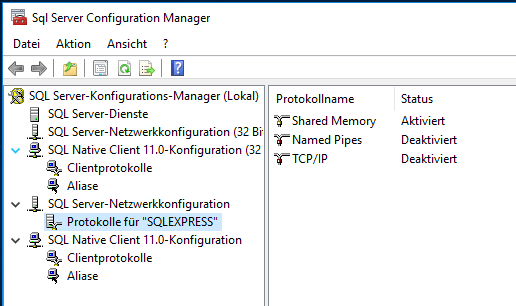
Switch to Under SQL Native Client 11.0 - Configuration to , in the menu item Clientprotokoll Client Protocols, by right-clicking on click TCP/IP, call up open the properties, and check that whether port 1433 is entered. 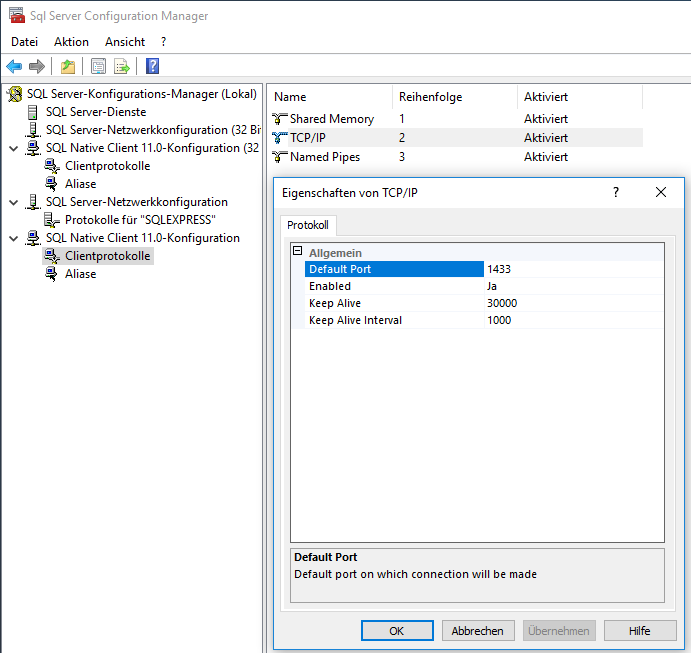
Under SQL Server -Netzwerkkonfiguration Network Configuration, in the menu Item Protokolls for „SQLEXPRESS“ Click on Enabled = Yes in the Properties tab of TCP/IP
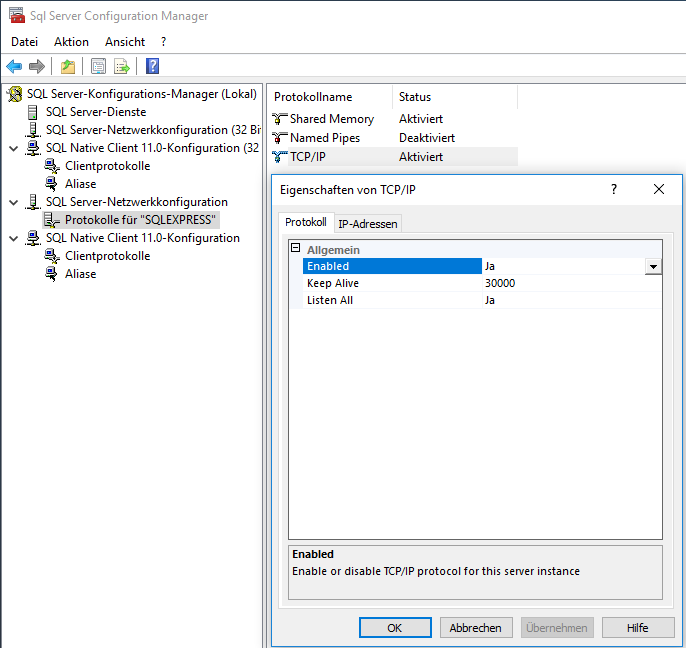
In the IP addresses tab at the bottom of IPAll: Delete item Protocols for "SQLEXPRESS", right-click TCP/IP, open the properties, and on the Protocol tab change Enabled to Yes
On the IP Addresses tab, at the very bottom under IPAll: delete TCP Dynamic Ports and enter TCP Port 1433
Put Enabled anywhere on yes, Applay, Ok 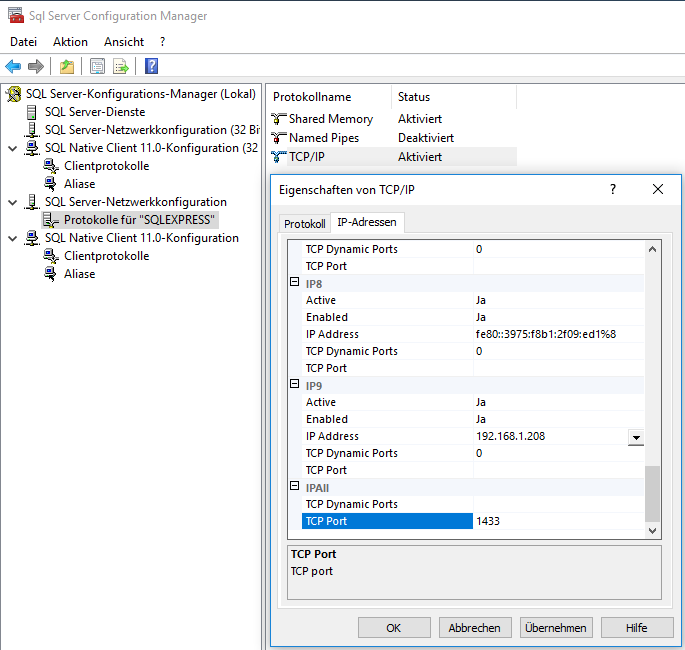
Restart the server under SQL Server services
Set Enabled to Yes everywhere - Apply - OK
Under SQL Server Services, restart the server 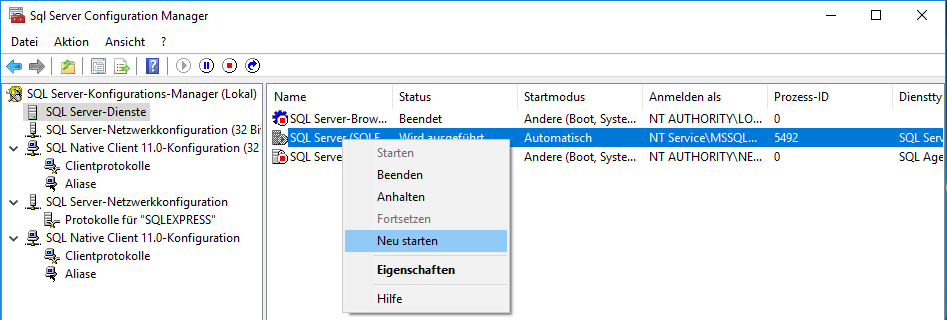
In the Windows services, call open the properties of the SQL Server service and choose on the Log On tab select "Local System Account" from the "Log On" tab
Restart the Server service.
account" - Apply - OK
Restart the server service
 erste
erste


 Vergleiche Versionen 3 und 4