Veränderungen des Inhalts
Klicken Sie für eine detaillierte Beschreibung auf die geänderten Stellen:
Benutzen sie die linke oder die rechte Maustaste, um zur jeweils vorherigen bzw. nachfolgenden Änderung zu gelangen.
After logging in to Webdesk EWP you will be taken to the start , you arrive at the home page.
Here you will find a personalised personalized page with your picture and personal notes. Messages from the system or innovations news are also displayed directly on the start home page. All functions of your personal webdesk can be accessed via Via the menu tree on the left side of the screen. You can return to this page at any time by clicking on , all functions of your personal Webdesk can be accessed. By clicking the "Home" button in the menu tree, you can return to this page at any time.
The display may vary differ slightly depending on the settings setting (skin) and version.
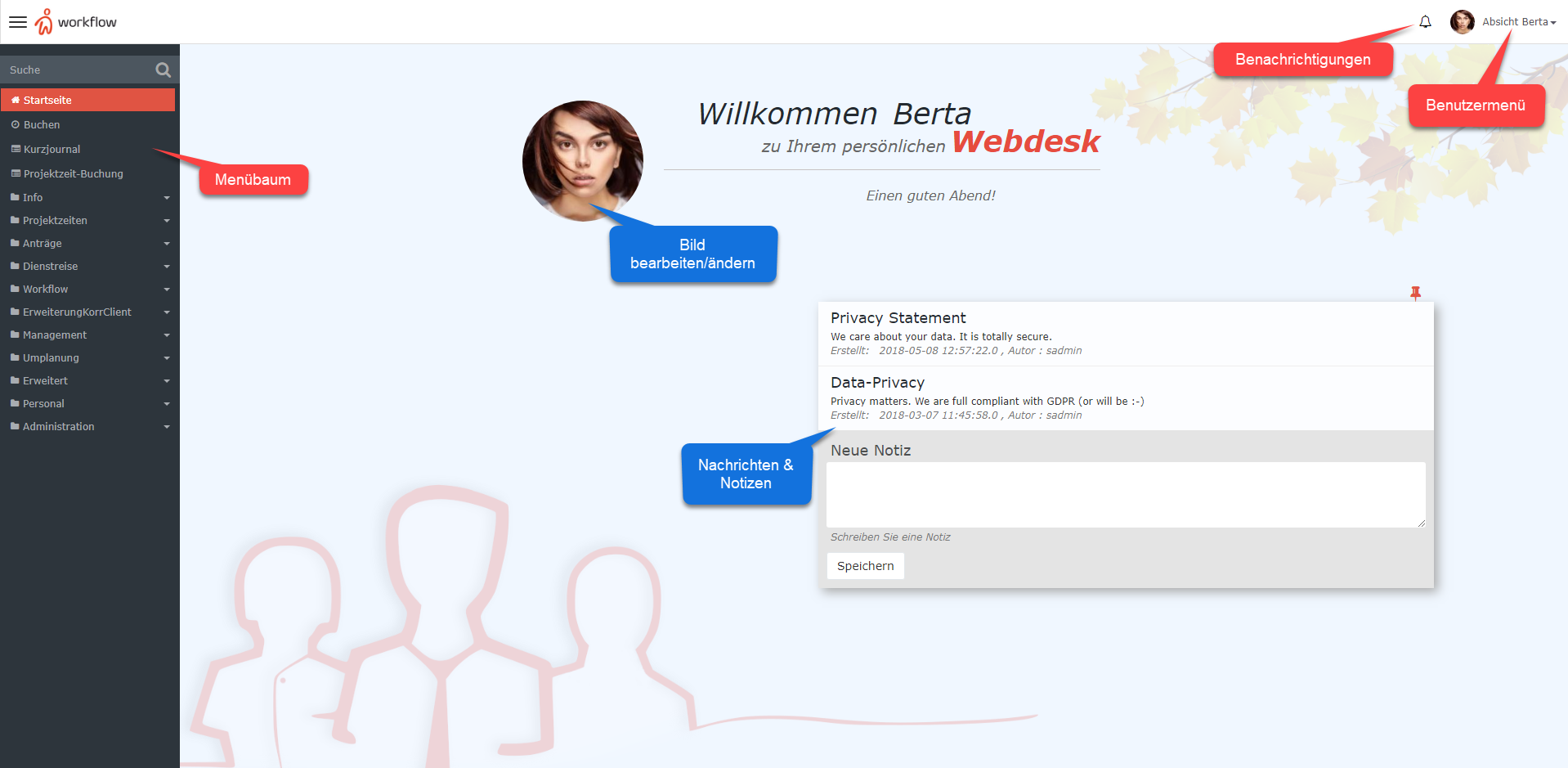
Notifications
The Notifications field displays new tasks that still need to be completed. Click on Clicking the notification icon takes you to go to the Open Tasks open tasks page.
User menuMenu
The user menu is located on the home page in the upper right corner of the start page. Click on . Clicking the user name to open opens the following menu items:
-
Settings: Select language, time zone, and webdesk Webdesk appearance, change password, edit account data, and other quick settings within the scope of the respective user's permissions. More about on this under: ***Make reference!!! *** Change User Settings
-
Switch user (administrators only for administrators!): Change Switch to the webdesk Webdesk view of any user
-
About Webdesk: Retrieve View version and license information
-
Short Quick introduction: Introduction to Responsive Design and the responsive design and option for user feedback capabilities
-
Create Jira -Ticket: if you have ticket: If problems with Webdesk EWP arise, you can create a support ticket for the developers can be created directly here
-
Log off: Logoff from Webdesk EWP
Change picture
By clicking on the image
-
out: Log out of Webdesk EWP
Change Picture
By clicking the picture directly on the start home page, you can change it can be changed or upload a new image uploadedpicture.
Notes
Make Here you can make your own notes and pinn pin them directly on to the home page.
 erste
erste


 Vergleiche Versionen 1 und 2