Veränderungen des Inhalts
Klicken Sie für eine detaillierte Beschreibung auf die geänderten Stellen:
Benutzen sie die linke oder die rechte Maustaste, um zur jeweils vorherigen bzw. nachfolgenden Änderung zu gelangen.
In Personalwolke, the terms "active" and "inactive" are used in two areas to indicate a state:
The following explains the difference in the use of "active" and "inactive" in the two areas.
User status
What does the status "active" or the display "active user" mean?
The status "active" means that the employee has the scope of access to Personalwolke of a normal user
Where can the "active user" state be seen?
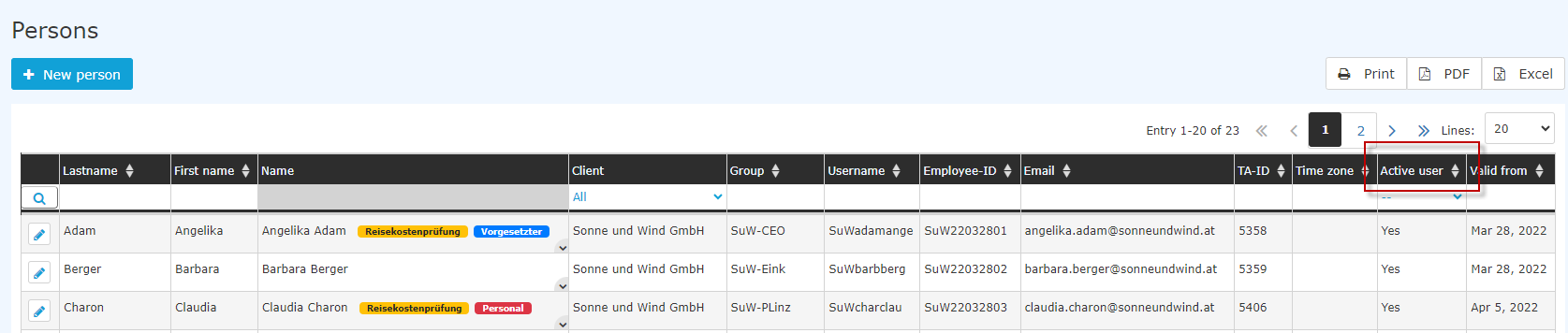
- Personalwolke/Administration/Persons: in the table column "active user". Here you can distinguish between "yes" and "no" or display all employees ("---").

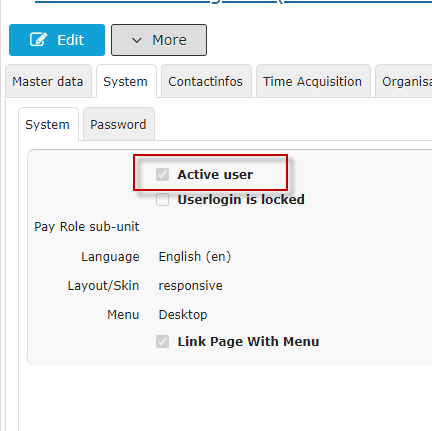
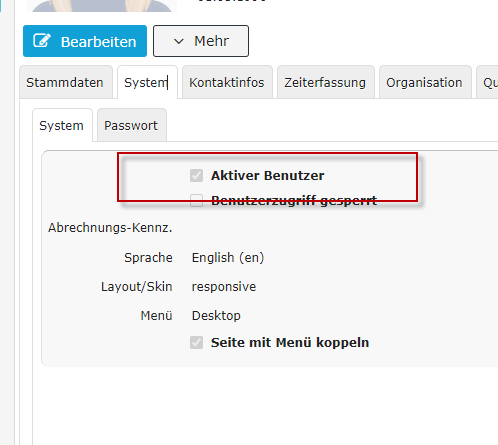
- HR-Expert: in the "System" tab in the person screen
When is a user inactive?
When an employment relationship ends, the user status is automatically set to inactive by the system after the last working day.
Can the user status also be changed arbitrarily?
Yes, by clearing the checkmark for "Active user" in the person screen/System in HR-Expert (you can find more information on this here )
When should the employee's user status be changed in this way?
If there is a risk of the employee misusing the system. This prevents access to Personalwolke.
An employee's primary employment is paused, for example because of parental leave. How does this affect the user status?
An employee on parental leave, during care leave, on a sabbatical or the like is also treated as an active user.
And what is the effect of leaving the company?
On the day the employment ends, the user is automatically set to inactive. Only in case of imminent danger (dismissal) does it make sense to actively deactivate access early.
Employment status
What employment statuses are there?
-
active: there is currently a continuing employment,
-
inactive: the employment continues (it has not been terminated), but is currently not actively being performed, e.g. because of parental leave
-
left: the employment has been terminated
Where can the status of the employment be seen?
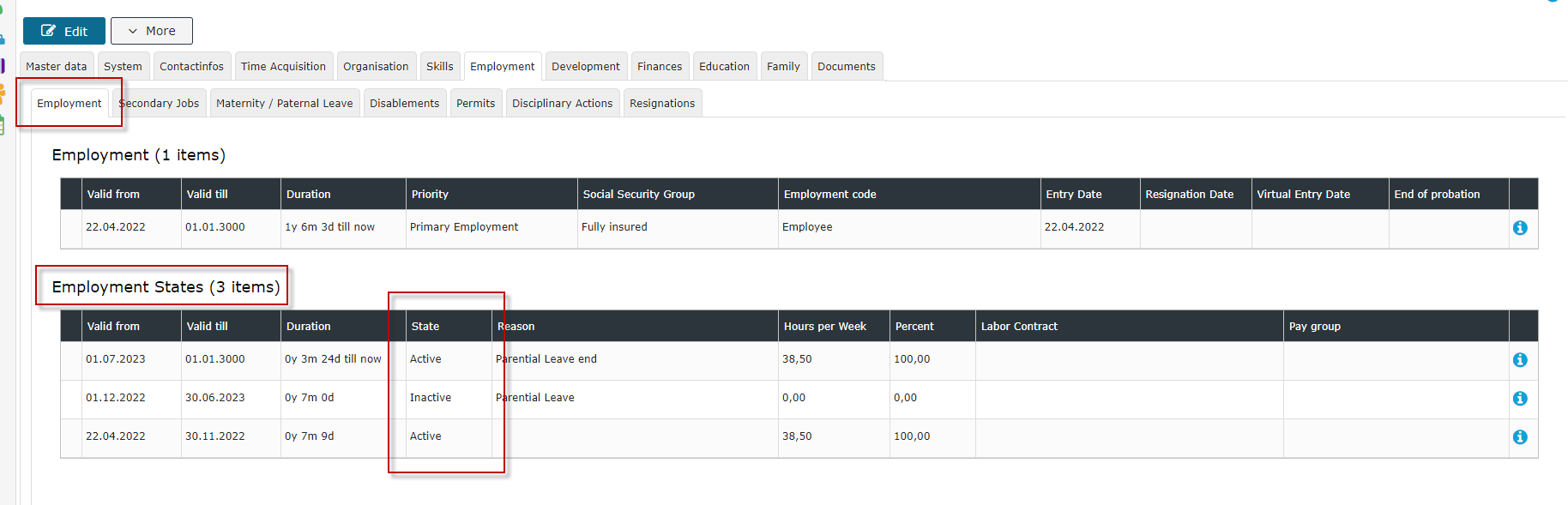
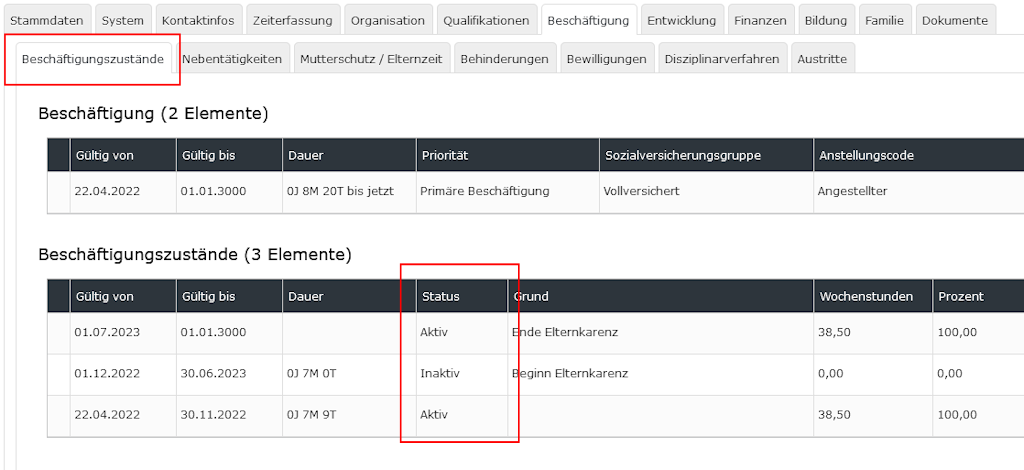
- HR-Expert/Person screen/Employment/Employment states: the table of the chronological sequence of employment states shows which employment state was or is active or inactive since when. (You can find more on the topic of employment states here )
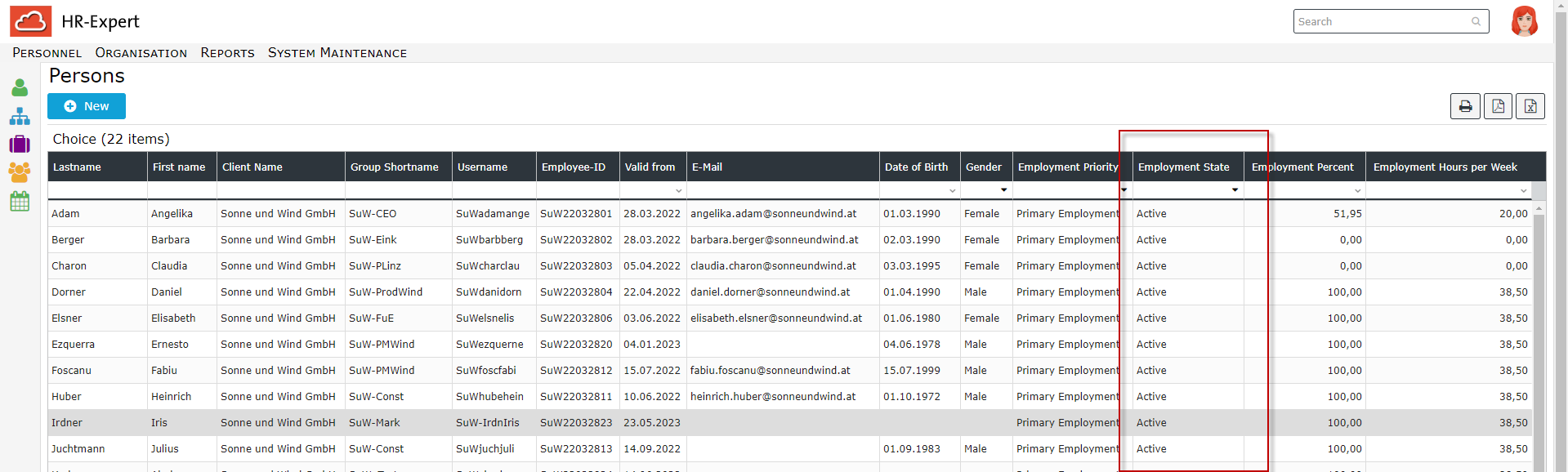
- HR-Expert/Reports/Employees: a display filtered by employment status is possible here
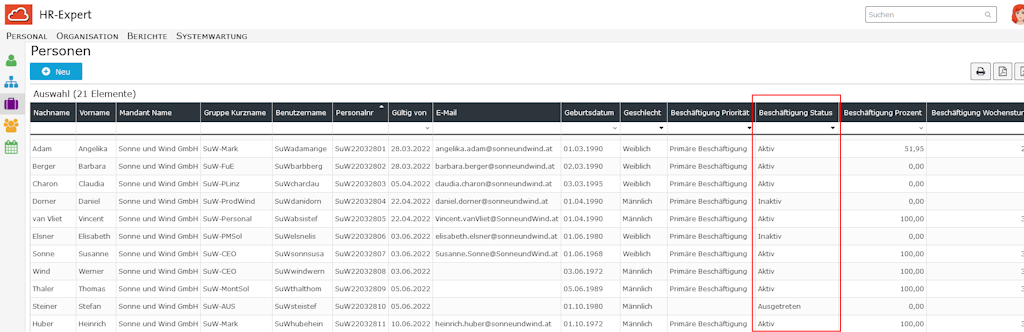
- HR-Expert/Reports/Employee status/Basic and status list or employment status: here reports can be created by the different status states. (You can find more on the topic of reports here.)

 erste
erste


 Vergleiche Versionen 4 und 5