Veränderungen des Inhalts
Klicken Sie für eine detaillierte Beschreibung auf die geänderten Stellen:
Benutzen sie die linke oder die rechte Maustaste, um zur jeweils vorherigen bzw. nachfolgenden Änderung zu gelangen.
Position plan
The position The Organization area can be opened at any time via Webdesk.
Clicking "Organization" in the menu bar opens the dropdown menu.

Below you will first find an explanation of the terms used:
Staffing plan
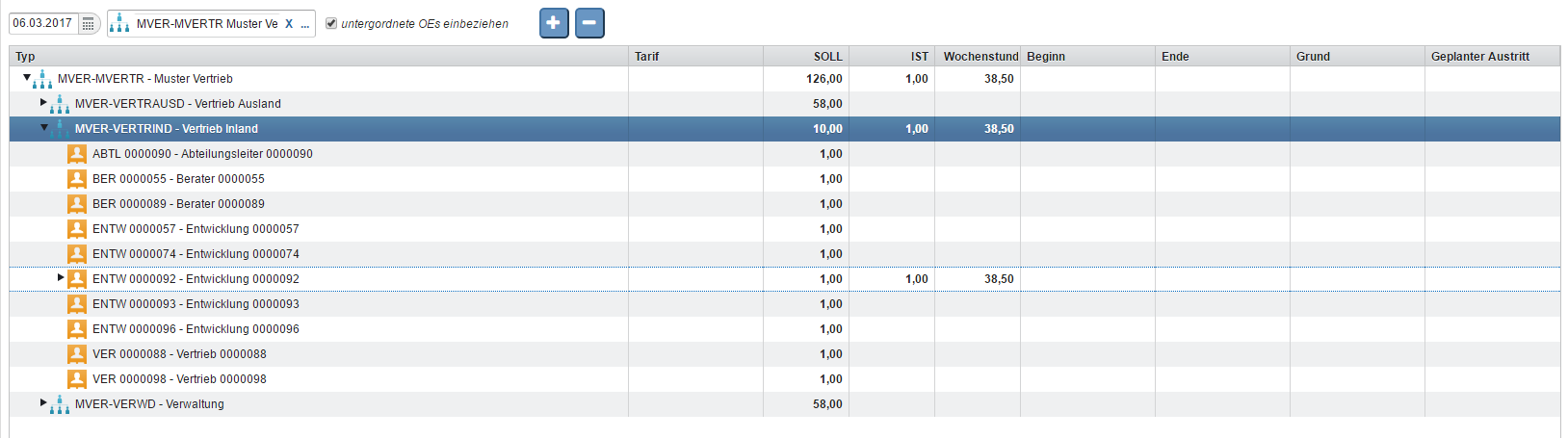
The staffing plan displays the position job structure of the selected department on as of the key reference date. With the The plus symbol expands all subfolders are expanded, with and the minus symbol are hidden collapses them again.
Organigram
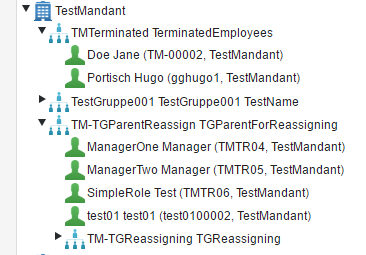
The Organigram
Organization Chart
The organization chart displays the company structure with all organizational units and groups and the assigned employees.

Clicking an organizational unit or an employee displays it in the field to the right of the organization chart for viewing and editing.

Organizational Unit
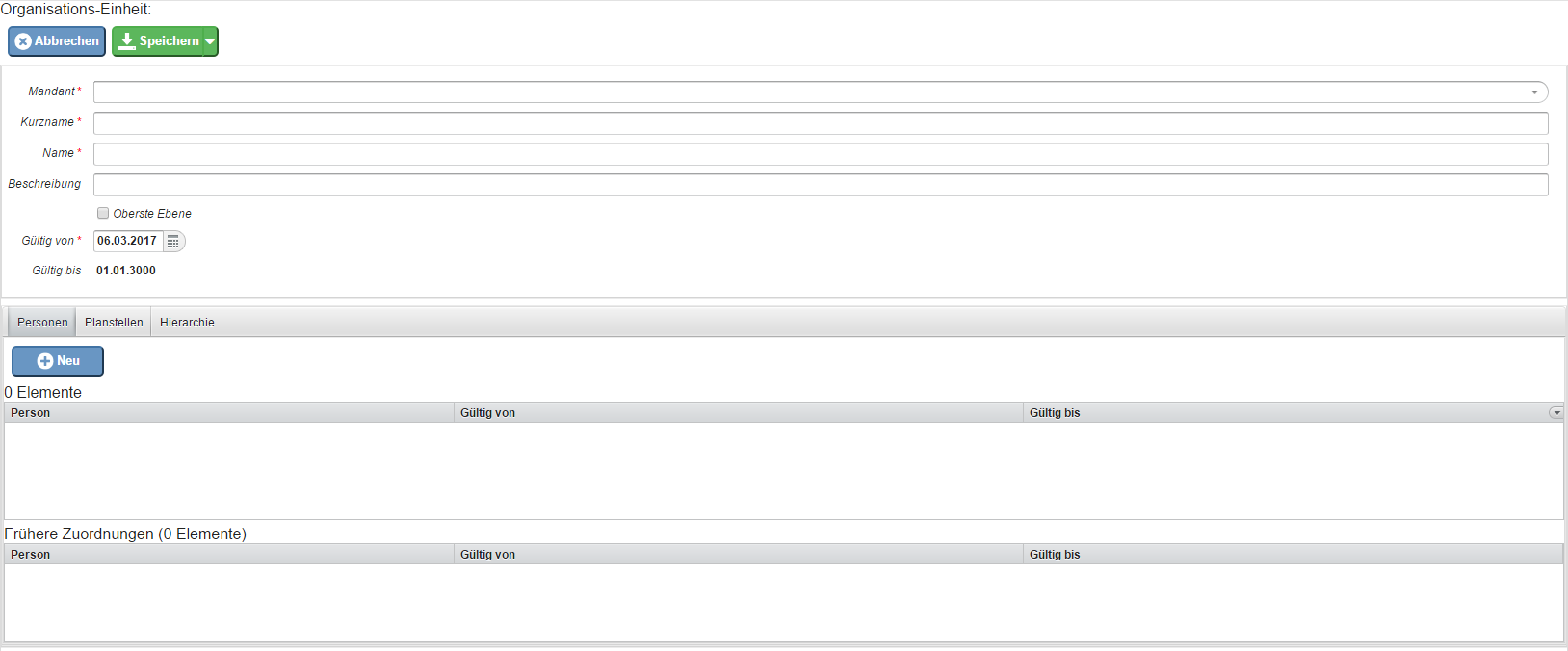
The list of all created organizational units is displayed here, and clicking "New" lets you create new organizational units can be created by clicking on "New".
For this, there are currently existing fields:
-
Client (mandatory field)
-
Short name (required)
-
Name (required)
-
Description
-
Top level
-
Valid from (Mandatory field)
-
Valid until (01.01.3000)
Tabs:
-
Persons
-
Permanent posts
-
Hierarchy
-
Parent group
-
Subordinate Group
-
Roles
-
Under the responsibility of
Cost center
.
An overview of the input options in this area can be found under Organizational Units Field Directory

Deleting an Organizational Unit
Did you create an organizational unit that is not needed after all?
Click the organizational unit to be deleted in the list. Next to the "Edit" button you will find the "More" button. Clicking it opens a Delete button. Clicking it deletes the organizational unit.
If the deletion takes place on the day this organizational unit was created, the system assumes a mistake and carries out the deletion without asking for confirmation.
Caution! This deletion of an organizational unit without roles, personnel, etc. on the day of creation is irreversible!

If the deletion takes place from the next day onward, the data can be restored. In such a case, please contact our administrators and experts at Workflow!
Cost Center
Cost centers are used, among other things, to allocate assign the costs of employee training.
further education. A prerequisite for using cost centers is a corresponding organizational structure in your company.
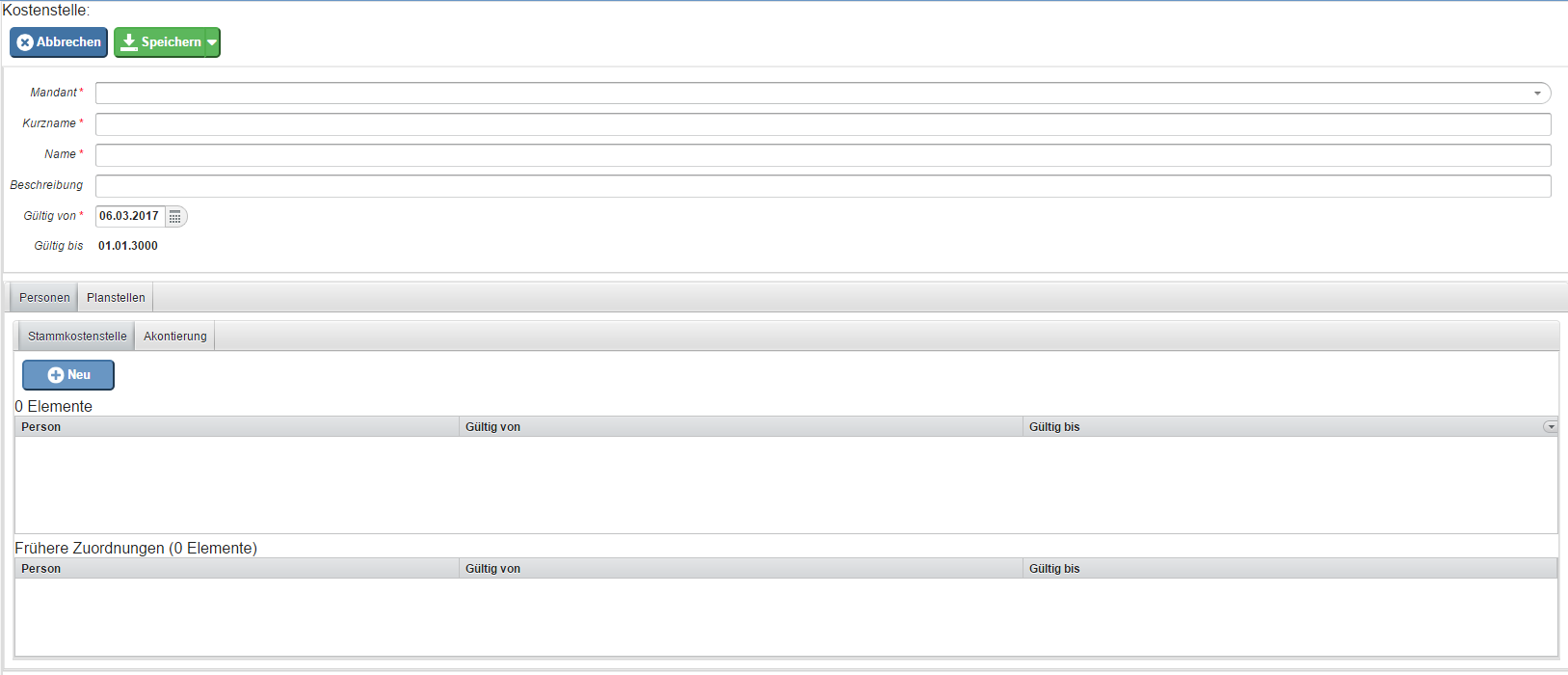
The list of all created cost centers is displayed here, and new cost centers can be created by clicking on "New" .
For this, currently existing fields are available:
-
Client (Mandatory field)
-
Short name (required)
-
Name (required)
-
Description
-
Valid from (Mandatory field)
-
Valid until (01.01.3000)
Tabs:
-
persons
-
master cost center
-
acconation
-
permanent posts
-
rolls
-
Under the responsibility of
Location
lets you create new cost centers.
An overview of the available fields can be found under Cost Centers Field Directory

Location
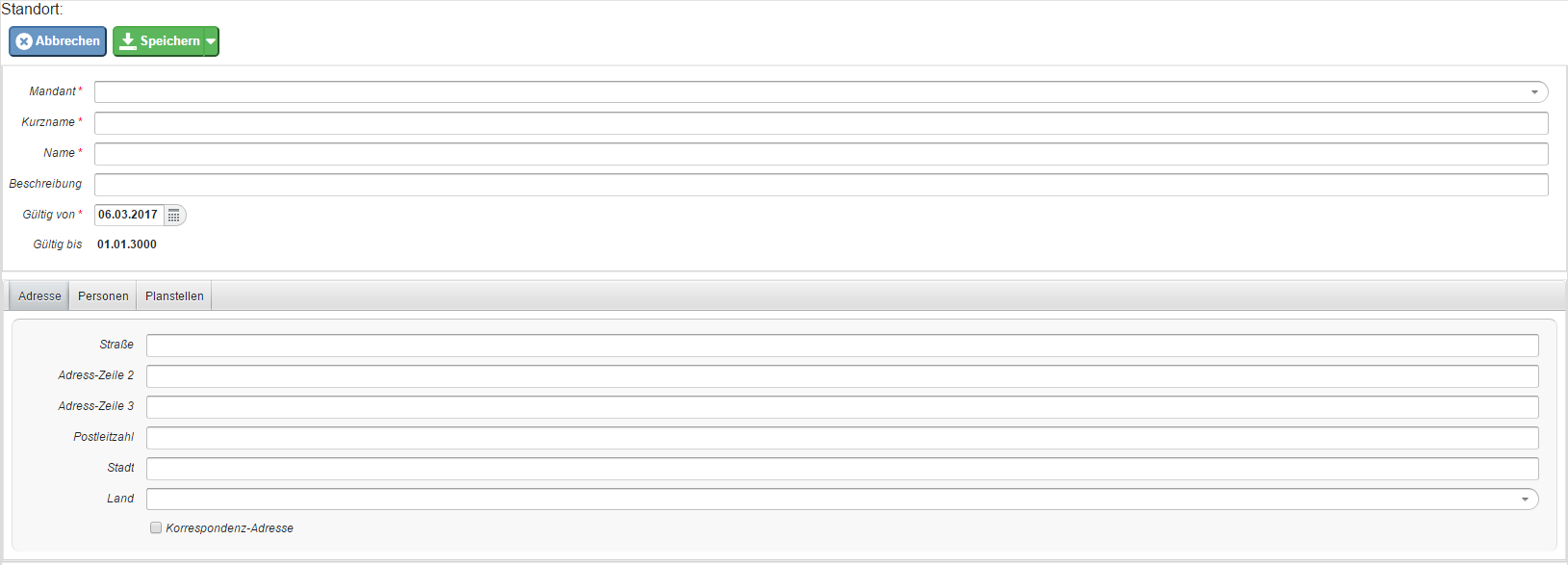
The list of all created locations is displayed here, and new locations can be created by clicking on "New" .
Fields currently available for this purpose:
-
Client (mandatory field)
-
Short name (required)
-
Name (required)
-
Description
-
Valid from (Mandatory field)
-
Valid until (01.01.3000)
Tabs:
-
Address
-
street
-
Address line 2
-
Address line 3
-
postcode
-
town
-
country
-
Correspondence address
-
persons
-
permanent posts
-
rolls
-
Under the responsibility of
Permanent post
lets you create new locations. A prerequisite for using locations is a corresponding organizational structure in your company.

Position
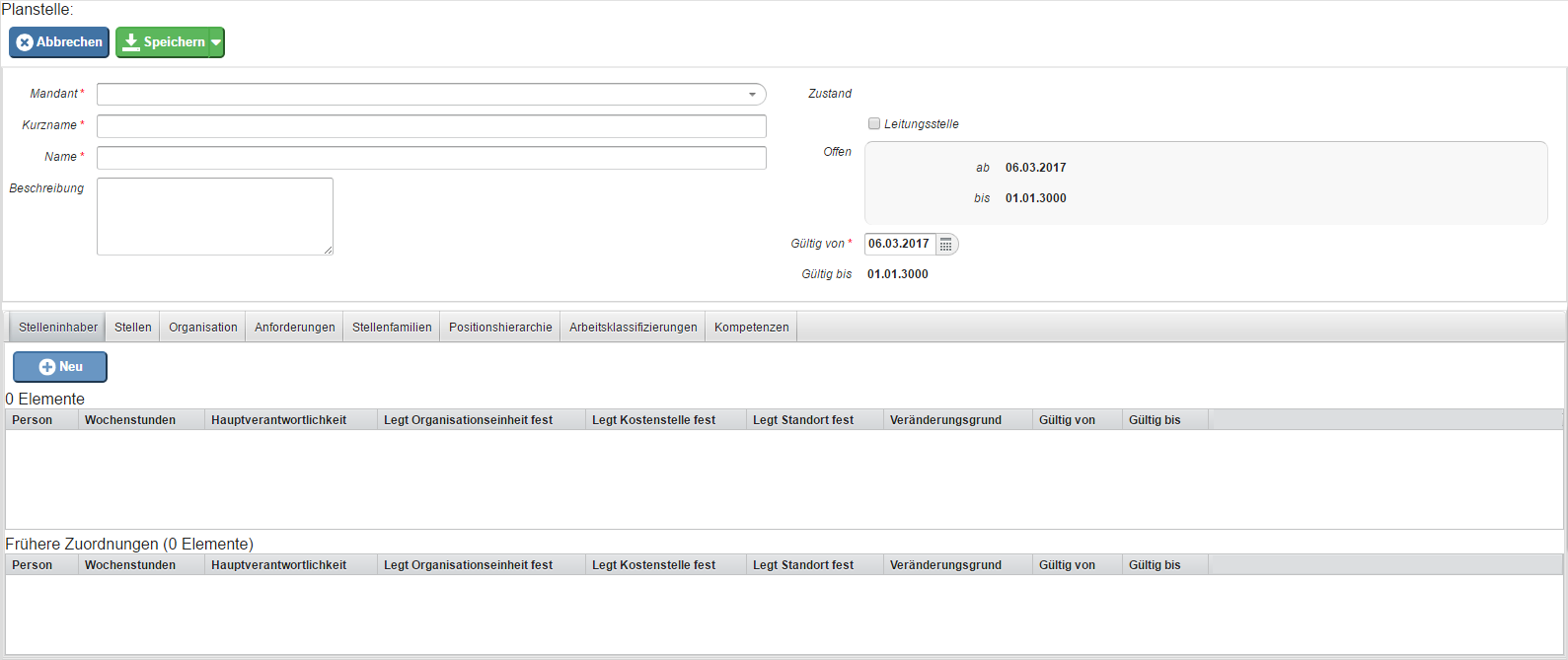
The list of all posts created positions is displayed here, and new positions can be created by clicking on "New" . For this, there are currently existing fieldslets you create new positions.
Currently available fields for this:
- Client (Mandatory required field)
- Short name (required field)
- Name (required field)
- Description of the
-
state
-
management State
-
Leadership position
- Open from
- Open until
- Valid from (Mandatory required field)
- Valid until (01./01./3000)
Tabs:
-
position holders
-
positions
-
organization
-
organizational units
-
locations
-
cost centers
-
requirements
-
experience levels
-
qualifications
-
responsibilities
-
job Position holders
-
Jobs
-
Organization
-
Organizational units
-
Locations
-
Cost centers
-
Requirements
-
Experience levels
-
Qualifications
-
Assignments
-
Job families
- Position hierarchy (position staffing plan hierarchy)
-
Higher-level Parent positions
- Subordinate positions
-
job Work classifications
-
skills
-
Competencies
Maintenance
Position
Job
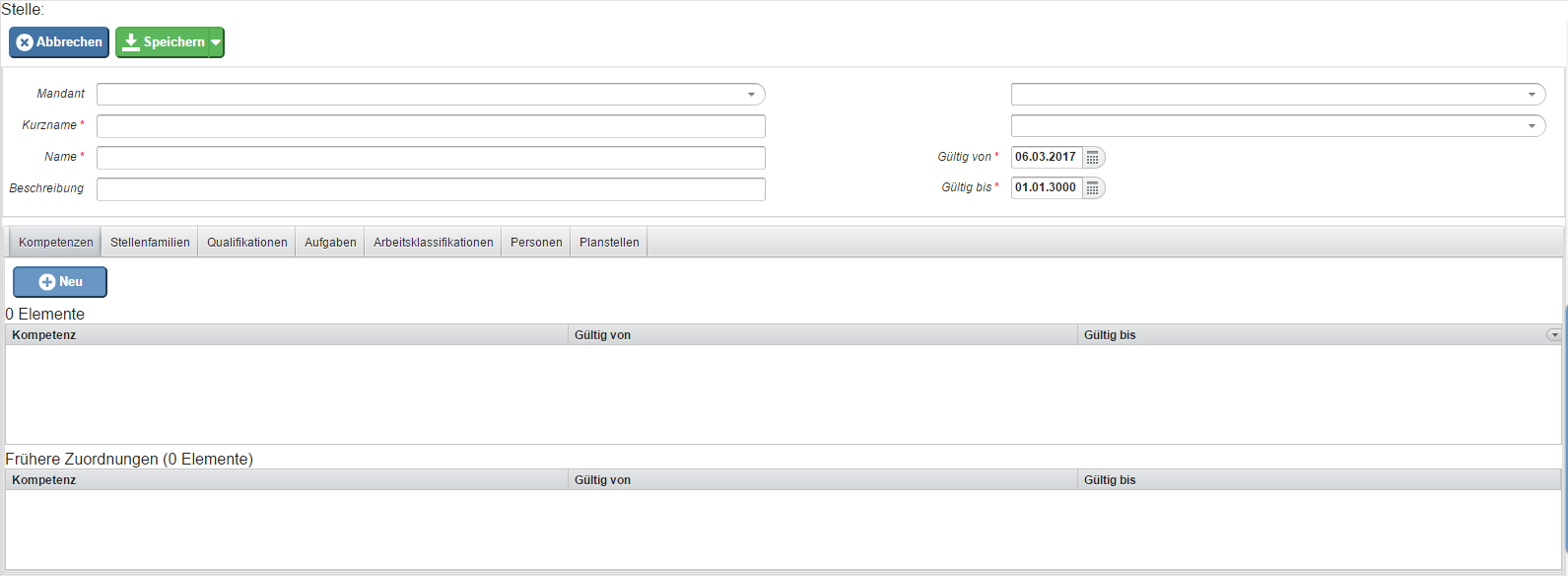
The list of all created jobs is displayed here, and new jobs can be created by clicking on "New" .
For this, currently existing fields:
client
lets you create new jobs.
Currently available fields for this:
-
Client
- Short name (required field)
- Name (required field)
-
Description
-
Description
- Top level
- Valid from (Mandatory required field)
- Valid until (01./01./3000, mandatory required field)
Tabs:
-
skills
-
job families
-
qualifications
-
assignments
-
positions
-
job classifications
-
persons
-
permanent posts
Job family
-
Competencies
-
Job families
-
Qualifications
-
Assignments
-
Jobs
-
Work classifications
-
Persons
-
Positions
Job Family
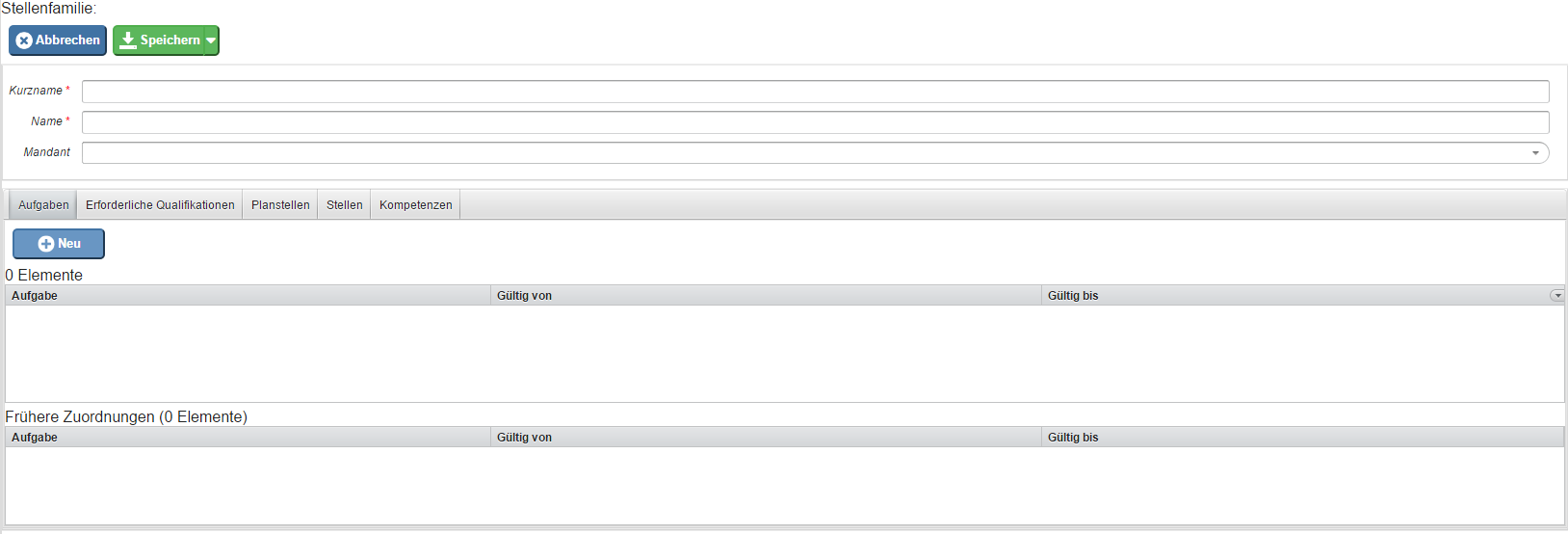
The list of all created jobs is displayed here, and new jobs can be created by clicking on "New" . Fields currently available lets you create new jobs.
Currently available fields for this purpose:
- Short name (required field)
- Name (required field)
-
client
-
Client
Tabs:
-
assignments
-
Qualifications required
-
permanent posts
-
positions
-
skills
-
Assignments
-
Required qualifications
-
Positions
-
Jobs
-
Competencies
 erste
erste


 Vergleiche Versionen 1 und 2
